
WBPSC Photo and signature editor, Resizer and Converter
Using this free online WBPSC Photo and Signature Resizer you can resize, crop, convert, and compress your photo and signature to the exact WBPSC specification. Select WBPSC, upload your image, and download a file at 3.5 x 4.5 cm, in JPEG, under 100 KB.
الاستخدام WBPSC Photo and signature editor, Resizer and Converter
Exam Photo & Document Tool
Drag & drop your image
JPG, PNG, WebP supported
قراءة المحتوى
What the West Bengal Public Service Commission is
The West Bengal Public Service Commission recruits for the state government and runs the West Bengal Civil Service examination alongside a large volume of direct recruitment to subordinate and ministerial posts across departments, including the Food and Supplies Department where the Food Sub-Inspector recruitment sits.
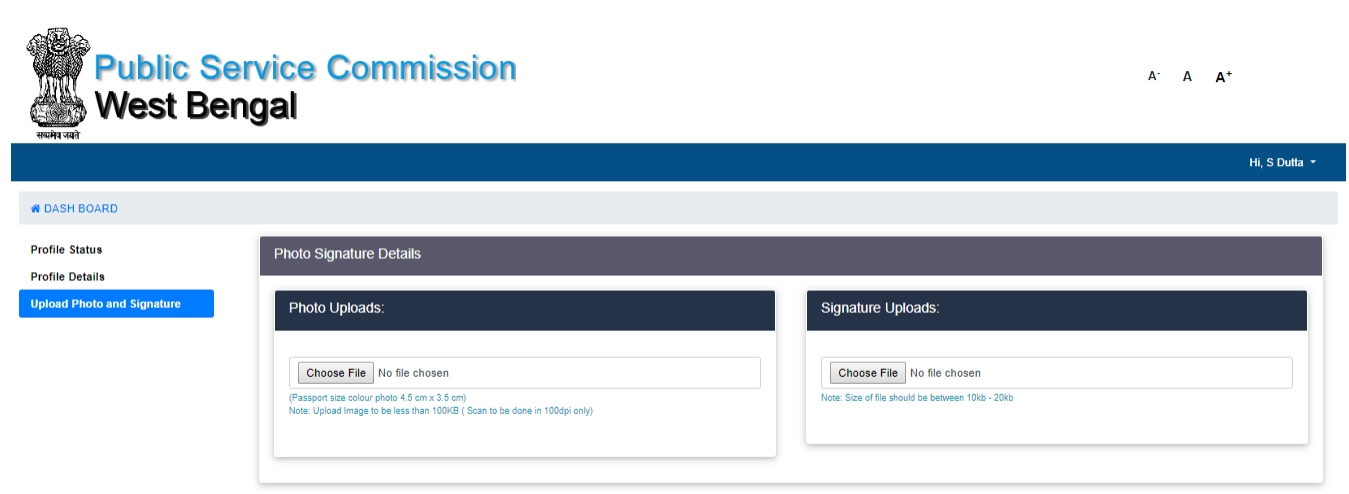
The West Bengal record is unusual in that it publishes two different acceptance standards for the same item, which is not a data duplication but a genuine difference between recruitment streams. The Food SI photograph allows 20 to 100 KB at 200 DPI while the general photograph allows a floor of only 10 KB at 100 DPI, and for the signature the general option is 10 to 50 KB at 200 DPI against 10 to 20 KB at 100 DPI for Food SI. The commission itself notes that if a signature prepared to the general standard is refused, the Food SI figure is the fallback.
Notifications for WBPSC are published at wbpsc.gov.in. Read the upload instructions from the notification on that site, not from a coaching summary or an older application, because the portal validates against the specification that was current when the form was built.
This page sets out the numbers WBPSC actually asks for. It is not a general guide to cropping or to the tool interface, because those instructions do not change from one exam to the next and they are written up separately.
What the WBPSC form asks you to upload
The application expects a pair of files, and each is checked on its own. They are:
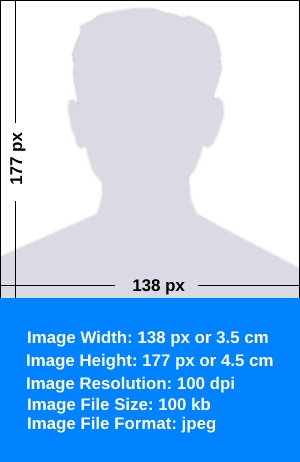
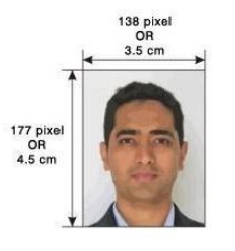
- A photograph at 3.5 x 4.5 cm, no heavier than 100 KB and no lighter than 20 KB.
- A signature at 6 x 3 cm, no heavier than 20 KB and no lighter than 10 KB.
| Item | Size | Unit | Format | Max file size | Min | DPI |
|---|---|---|---|---|---|---|
| Photo | 3.5 x 4.5 | cm | JPEG | 100 KB | 20 KB | 200 |
| Photo | 3.5 x 4.5 | cm | JPEG | 100 KB | 10 KB | 100 |
| Photo | 138 x 177 | px | JPEG | 100 KB | 10 KB | 96 |
| Signature | 6 x 3 | cm | JPEG | 20 KB | 10 KB | 100 |
| Signature | 6 x 3 | cm | JPEG | 50 KB | 10 KB | 200 |
| Signature | 3.5 x 1.5 | cm | JPEG | 20 KB | 10 KB | 100 |
| Signature | 138 x 59 | px | JPEG | 20 KB | 10 KB | 96 |
The WBPSC numbers, and why they matter
WBPSC publishes its sizes in both units, which means the record is offering two ways to express the same kind of requirement. Pick the row that matches how your own advertisement is worded: centimetres when the notification states a physical frame, pixels when it states a resolution. They are alternatives published for different notifications, not a sequence to apply in turn.
The WBPSC table lists DPI values of 200 and 100 and 96 against what is otherwise the same frame. Both entries describe identical dimensions, so the decision is resolution quality rather than size. Take the higher value unless the notification names the lower one.
The WBPSC photograph allowance runs up to 100 KB with a floor set at just 20 KB. Most boards pair a ceiling with a noticeably higher minimum, so on this record you can compress fairly hard before hitting the floor, and the number to watch is the ceiling.
The WBPSC record offers 3 photograph options and 4 signature options: 3.5 x 4.5 cm; 138 x 177 px. These come from different notifications and different recruitment streams rather than from one form, so there is no single right answer to which to use. Take the size from the advertisement you are actually applying under, and if it names a size that is not listed here, enter it by hand in the width and height fields.
If the WBPSC application refuses your file
- When WBPSC refuses a file, weight is the first thing to check, because 100 KB leaves limited room. Look at the final size on the result card. If it sits above the limit, the source was cropped too loosely: tighten the frame and compress again.
- For the WBPSC signature, keep the crop tight around the ink. The 6 x 3 cm frame is small, so every extra millimetre of empty paper is weight you do not have, and the 20 KB ceiling does not leave room for it.
- If the same file is refused twice with identical settings, stop retrying and re-read the notification. Requirements do get revised by corrigendum, and the numbers stored in this tool reflect the specification as recorded.
Official links from the original page
Images from the original page
Frequently Asked Questions
How to position a face inside the crop frame, and how far to push compression before quality suffers, is the same lesson for every exam, so it sits in a single shared guide. Open the full photo and signature guide.
الأسئلة الشائعة
التعليقات (0)
يرجى وصف المشكلة التي واجهتها حتى نتمكن من التحقيق فيها وتحسين الأداة.