
Exam Photo Tools সঁজুলি updated 22 ঘণ্টা ago

WAEC WASSCE Photo Resizer, Compressor and Converter

Using this free tool, resize your photo to 240x280 pixels, compress file size between 5KB-25KB, and convert to jpeg format for WAEC WASSCE on any mobile or computer and according to WAEC WASSCE photo guidelines.

WAEC WASSCE Photo Resizer Compress Image Convert Format

ব্যৱহাৰ : সঁজুলি

Select your exam
What are you submitting?
Upload your image

Drag & drop your image

JPG, PNG, WebP supported

Browse file
Crop & adjust Optional
Adjust your image — or skip to use it as-is
Recommended for exam photo alignment
Keep the face centered inside the oval guide. For passport or exam-style photos, try to let the face fill roughly 70% of the crop height.
Mode
Zoom
Rotate
Flip
W: — H: —
Add name & date caption Optional Required by exam
Text is placed below the image — not printed on it
As it should appear on the form
Date of birth or exam date
Preview — name & date strip appears below the image
Processing your image…
Resizing to exam specifications
2.48K
সময় Used
2.06K
মুঠ ব্যৱহাৰকাৰীসকল
3+ বছৰসমূহ
পৰিৱেশন কৰা হ'ল
শেষ reviewed in 22 ঘণ্টা ago. Usage নম্বৰসমূহ are refreshed during periodic audits. (Reporting since 21 Feb 2022)
ৰিপৰ্ট a mismatch

Read সমল

Learn how the সঁজুলি works and when to use it.

Free WAEC WASSCE Photo Resizer, Compressor and Converter

WAEC WASSCE Photo Resizer, Compressor, and Converter is a free tool where you can easily resize your photo to 240x280 pixels, compress file size between 5KB-25KB, and convert to jpeg format for WAEC WASSCE. To resize, compress/reduce, and convert your photo for WAEC WASSCE according to WAEC WASSCE Photo guidelines and instructions.

Even you do not need to download or install any app or software. This tool is supported by every mobile, computer, operating system, and browser for free. No uses limit.

How to resize photo/image for WAEC WASSCE registration

Browse this tool from here

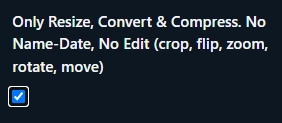
If you do not want to edit your photo (No crop, flip, zoom, rotate, move) then click Only Resize, Convert & Compress option.
Upload your photo

Then click Crop, Zoom, Rotate, Flip, Move button to edit (crop, flip, zoom, rotate, move) your photo or click Next. Resize, Convert and Compress to button to Resize, Convert & Compress.

Then click to download button to save the processed image 
WAEC WASSCE Photo dimensions, size and format

WAEC WASSCE Photo dimensions are 240x280 pixels, file size should be between 5KB-25KB and JPEG format

WAEC WASSCE fAQ

সঘনাই সোধা প্ৰশ্ন

Short answers for the questions ব্যৱহাৰকাৰীসকল ask before trusting the result.

WAEC WASSCE photo dimensions should be 240x280 pixels.

WAEC WASSCE photo size should be be between 5KB-25KB.

WAEC WASSCE photo format is JPEG.

মন্তব্য (0)

For ব্যৱহাৰকাৰী discussion, edge cases, and follow-up tips.
মন্তব্য কৰক
আপোনাৰ মন্তব্য দাখিল কৰাৰ পিছত ৰাজহুৱাভাৱে দেখা যাব।
নহয় comments yet. Be the প্ৰথম to comment!
আমাক জনাওক!
ৰিপৰ্ট an সমস্যা with this সঁজুলি

Describe the সমস্যা you encountered so we can investigate and improve the tool.

আটাইতকৈ বেছি সহায়ক কি
include the input, expected result, actual result, browser/device, and a screenshot when helpful.
The screenshot button captures the পৃষ্ঠা in the ব্ৰাউজাৰ and attaches the উৎপন্ন হৈছে ছবি to this form.
সম্পূৰ্ণ পৃষ্ঠাৰ স্ক্ৰীণশ্বট
newisty-ৰ দ্বাৰা আপোনাৰ ব্ৰাউজাৰত বন্দী কৰা হৈছে।
নহয় screenshot captured yet.
সঁজুলি ৰিপৰ্ট