
India POST GDS 2026 Photo & Signature Resizer, Compressor & Converter
The Newisty India Post GDS Photo, Signature, and Thumb Impression Resizer & Compressor helps you to resize, convert, and compress your files 100% accurately to meet the India Post GDS 2026 requirements. Use Newisty POST GDS tool for Photo and Signature Resizer tool and fix uploading issue.
Utilisation India POST GDS 2026 Photo & Signature Resizer, Compressor & Converter
Exam Photo & Document Tool
Drag & drop your image
JPG, PNG, WebP supported
Lien vers l'outil
Partager
Aidez-nous à améliorer cet outil
Lire le contenu
Table of Contents
[hide]
India Post GDS Photo, Signature & Thumb Impression Resizer Tool
The India Post GDS Photo, Signature, and Thumb Impression Resizer & Compressor helps you resize, convert, and compress documents as per the official India Post GDS 2026 guidelines. The tool resizes photos to 320×400 pixels, signatures to 300×120 pixels, converts files to JPG/JPEG format, and compresses them within the prescribed file size limits.
India Post GDS Photo & Signature Dimensions 2026
- Photo: 320×400 pixels, 72–150 DPI, 30–100 KB, JPG/JPEG, 4:5 aspect ratio
- Signature: 300×120 pixels, 72–150 DPI, 20–100 KB, JPG/JPEG, 5:2 aspect ratio
India Post GDS Photo Guidelines
- Dimensions: 320×400 pixels (width × height), 72–150 DPI
- File size: 30 KB to 100 KB
- Format: JPG/JPEG only
- Aspect ratio: 4:5 ()
- Background: Plain white or light-coloured
- Face coverage: 70–80% of the image
- No shadows, red-eye, selfies, or scanned photos
- Image must be clear, well-lit, and in focus
India Post GDS Signature Guidelines
- Dimensions: 300×120 pixels, 72–150 DPI
- File size: 20 KB to 100 KB
- Format: JPG/JPEG only
- Aspect ratio: 5:2
- Signature must be handwritten on white paper
- Use black or blue ink only
- Signature should occupy 70–80% of the image
- No typed text, borders, shadows, or extra marks
indiapost.gov.in's Official Statement Regarding POST GDS Photo and Signature
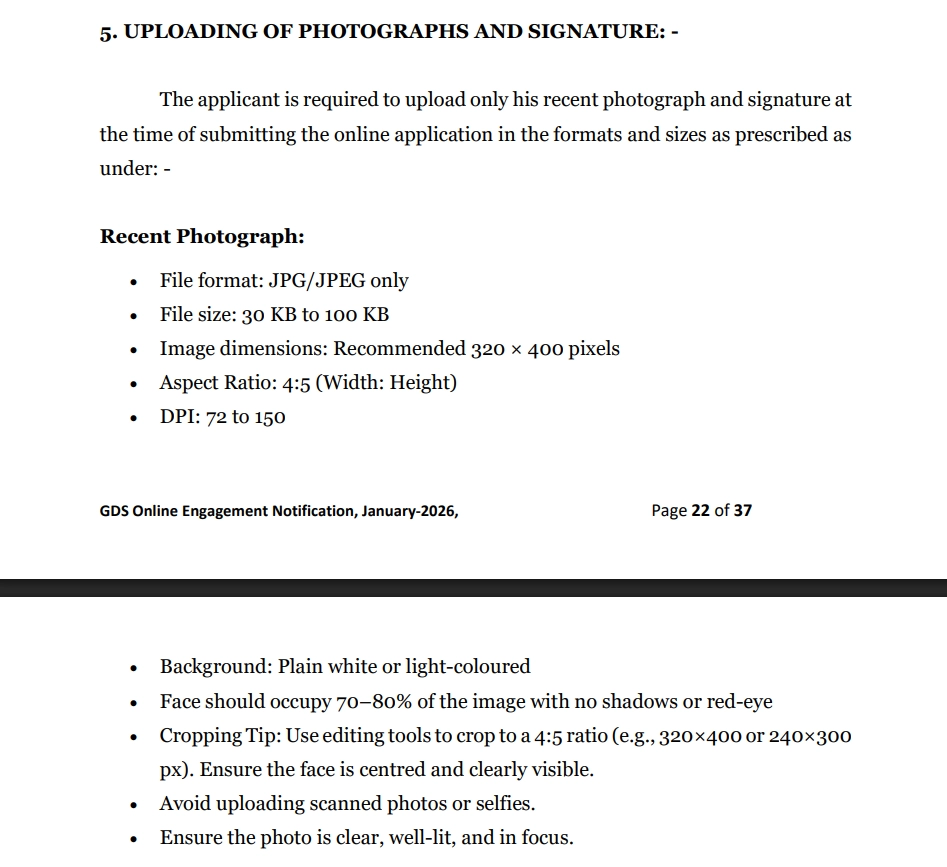
5. UPLOADING OF PHOTOGRAPHS AND SIGNATURE: -
The applicant is required to upload only his recent photograph and signature at the time of submitting the online application in the formats and sizes as prescribed as under: -
Recent Photograph:
- File format: JPG/JPEG only
- File size: 30 KB to 100 KB
- Image dimensions: Recommended 320 × 400 pixels
- Aspect Ratio: 4:5 (Width: Height) ()
- DPI: 72 to 150
- Background: Plain white or light-coloured
- Face should occupy 70–80% of the image with no shadows or red-eye
- Cropping Tip: Use editing tools to crop to a 4:5 ratio (e.g., 320×400 or 240×300px). Ensure the face is centred and clearly visible.
- Avoid uploading scanned photos or selfies.
- Ensure the photo is clear, well-lit, and in focus.
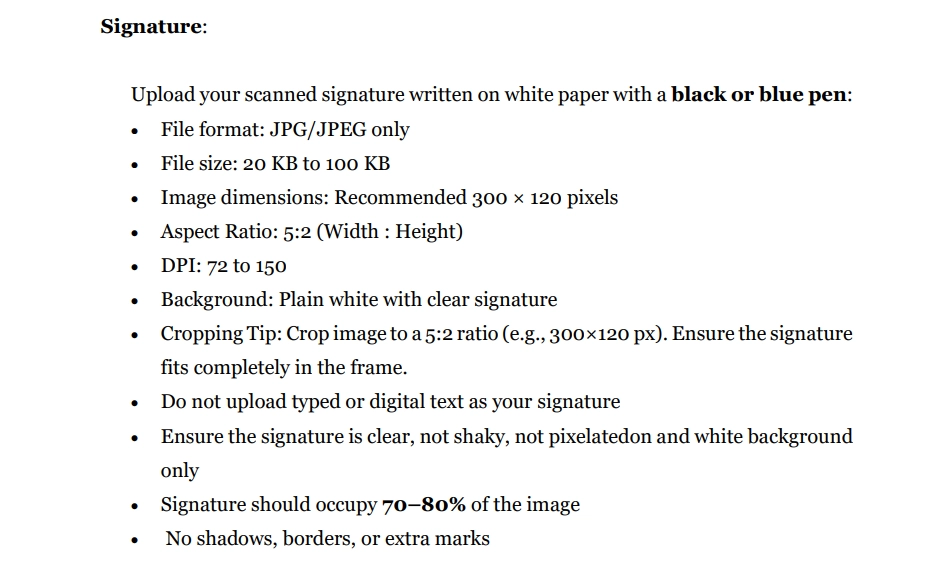
Signature:
Upload your scanned signature written on white paper with a black or blue pen:
- File format: JPG/JPEG only
- File size: 20 KB to 100 KB
- Image dimensions: Recommended 300 × 120 pixels
- Aspect Ratio: 5:2 (Width : Height)
- DPI: 72 to 150
- Background: Plain white with clear signature
- Cropping Tip: Crop image to a 5:2 ratio (e.g., 300×120 px). Ensure the signature fits completely in the frame.
- Do not upload typed or digital text as your signature
- Ensure the signature is clear, not shaky, not pixelatedon and white background only
- Signature should occupy 70–80% of the image
- No shadows, borders, or extra marks
Note : Applications with blurred photographs or with blurred/miniature signatures will be rejected.
10th Class Certificate
- Dimensions: 720×1024 pixels
- Maximum file size: 200 KB
- Format: JPG/JPEG
Proof of Date of Birth Certificate
- Dimensions: 720×1024 pixels
- Maximum file size: 200 KB
- Format: JPG/JPEG
10+2 Marks Memo / Certificate
- Dimensions: 720×1024 pixels
- Maximum file size: 200 KB
- Format: JPG/JPEG
Community Certificate
- Dimensions: 720×1024 pixels
- Maximum file size: 200 KB
- Format: JPG/JPEG
Important Dates – GDS Online Engagement (January 2026)
- User Registration: 30-01-2026 to 14-02-2026
- Application Submission: 01-02-2026 to 16-02-2026
- Edit / Correction Window: 17-02-2026 to 18-02-2026
Click here to register / apply
Notification No: 17-37/2025-GDS (Pt.I)
Video Tutorial: Resize India Post GDS Photo & Signature
Important Links
GDS Online Engagement Schedule-I January 2026 (PDF)
GDS Online Engagement Schedule-I January 2026 (Web)
India Post GDS Document FAQs
FAQ
Commentaires (2)
Thank you for your fantastic feedback! We're excited that you find the India Post GDS tool helpful. We're constantly working on improvements, so if you have any suggestions or features you'd like to see, feel free to let us know!
Signaler un problème avec cet outil
Décrivez le problème que vous avez rencontré afin que nous puissions l'examiner et améliorer l'outil.