
JavaScript (JS) Hint and Lint
JavaScript (JS) Hint and Lint is tool where you can find JavaScript coding error, warning, improvement suggestion, line by line. It will help you to detect errors, warnings quickly and easily. It will also help to maintain JavaScript coding standard.
ઉપયોગ કરો JavaScript (JS) Hint and Lint
જાવાસ્ક્રિપ્ટ સંકેત અને લિન્ટ
કોડ ટાઇપ કરો, સૂચનો મેળવો અને Monaco એડિટરમાં લાઇવ લિન્ટ સમસ્યાઓ જુઓ.
સંપાદક
સામગ્રી વાંચો
Javascript Hint
JavaScript is a powerful language, but it can be easy to make mistakes. That's where tools like JS Hint and Lint come in. JavaScript (JS) Hint and Lint is tool where you can find JavaScript coding error, warning, improvement suggestion, line by line. It will help you to detect errors, warnings quickly and easily. It will also help to maintain JavaScript coding standard.
By running these tools regularly, you can help ensure that your code meets prevailing JavaScript coding standards. By following the coding standards set by JS Hint and Lint, you can ensure that your code is up to par with the latest industry standards.
Newisty Javascript (JS) Hint and Lint is a tool that detects errors and potential problems in JavaScript code. This Javascript Hint and Lint is so flexible and easy to use for users, so you can easily use it. Use Javascript Hint and Lint tool is free for lifetime, without any download and installation.
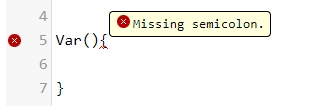
Examples of JavaScript Hint and Lint
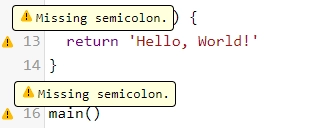
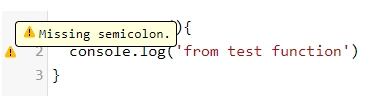
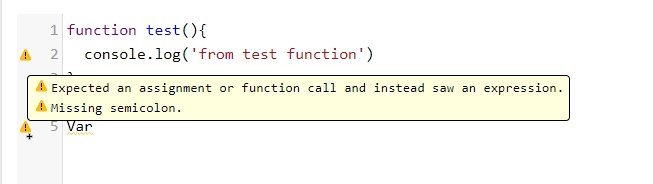

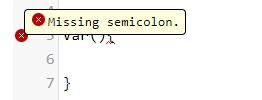
ટિપ્પણીઓ (0)
તમે સામનો કરેલી સમસ્યાનું વર્ણન કરો જેથી અમે તપાસ કરી શકીએ અને સાધનને સુધારી શકીએ.