
Exam Photo Tools Strumento aggiornato 16 ore fa

WAEC WASSCE Photo Resizer, Compressor and Converter

Using this free tool, resize your photo to 240x280 pixels, compress file size between 5KB-25KB, and convert to jpeg format for WAEC WASSCE on any mobile or computer and according to WAEC WASSCE photo guidelines.

WAEC WASSCE Photo Resizer Compress Image Convert Format

Utilizzo WAEC WASSCE Photo Resizer, Compressor and Converter

Select your exam
What are you submitting?
Upload your image

Drag & drop your image

JPG, PNG, WebP supported

Browse file
Crop & adjust Optional
Adjust your image — or skip to use it as-is
Recommended for exam photo alignment
Keep the face centered inside the oval guide. For passport or exam-style photos, try to let the face fill roughly 70% of the crop height.
Mode
Zoom
Rotate
Flip
W: — H: —
Add name & date caption Optional Required by exam
Text is placed below the image — not printed on it
As it should appear on the form
Date of birth or exam date
Preview — name & date strip appears below the image
Processing your image…
Resizing to exam specifications
Link agli strumenti
Copiato negli appunti.
Aiutaci a migliorare questo strumento
2.48K
Tempo impiegato
2.06K
Utenti totali
3+ anni
Servito
Ultima revisione nel 16 ore fa. I dati relativi all'utilizzo vengono aggiornati nel corso di verifiche periodiche. (Reportistica a partire dal 21 Feb 2022)
Segnala un'incongruenza

Leggi il contenuto

Scopri come funziona lo strumento e quando utilizzarlo.

Free WAEC WASSCE Photo Resizer, Compressor and Converter

WAEC WASSCE Photo Resizer, Compressor, and Converter is a free tool where you can easily resize your photo to 240x280 pixels, compress file size between 5KB-25KB, and convert to jpeg format for WAEC WASSCE. To resize, compress/reduce, and convert your photo for WAEC WASSCE according to WAEC WASSCE Photo guidelines and instructions.

Even you do not need to download or install any app or software. This tool is supported by every mobile, computer, operating system, and browser for free. No uses limit.

How to resize photo/image for WAEC WASSCE registration

Browse this tool from here

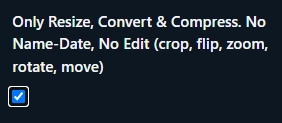
If you do not want to edit your photo (No crop, flip, zoom, rotate, move) then click Only Resize, Convert & Compress option.
Upload your photo

Then click Crop, Zoom, Rotate, Flip, Move button to edit (crop, flip, zoom, rotate, move) your photo or click Next. Resize, Convert and Compress to button to Resize, Convert & Compress.

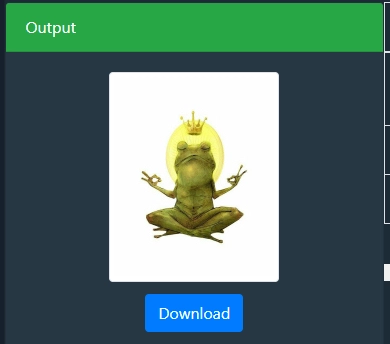
Then click to download button to save the processed image 
WAEC WASSCE Photo dimensions, size and format

WAEC WASSCE Photo dimensions are 240x280 pixels, file size should be between 5KB-25KB and JPEG format

WAEC WASSCE fAQ

Domande frequenti

Risposte concise alle domande che gli utenti si pongono prima di fidarsi del risultato.

WAEC WASSCE photo dimensions should be 240x280 pixels.

WAEC WASSCE photo size should be be between 5KB-25KB.

WAEC WASSCE photo format is JPEG.

Commenti (0)

Per discussioni tra utenti, casi limite e consigli aggiuntivi.
Lascia un commento
Il tuo commento sarà visibile a tutti una volta inviato.
Non ci sono ancora commenti. Lascia il primo commento!
Facci sapere!
Segnala un problema con questo strumento

Descrivi il problema che hai riscontrato, in modo che possiamo analizzarlo e migliorare lo strumento.

Ciò che aiuta di più
Includi i dati inseriti, il risultato atteso, il risultato effettivo, il browser/dispositivo utilizzato e, se utile, uno screenshot.
Il pulsante "Screenshot" acquisisce la pagina nel browser e allega l'immagine generata a questo modulo.
Screenshot a tutta pagina
Captured in your browser with newisty.
Non è stato ancora acquisito alcun screenshot.
Strumento Relazione