
Compress photo size 100kb in pixels Online
Compress photo size 100kb in pixels
Compress photo size 100kb in pixels is a tool that compress and reduce photo size 100kb in pixels. It compress 100kb photo size in pixels.
Crop, rotate, flip, zoom Your Image to Remove unwanted parts from image. Here.

Crop images And then Resize Here
使用方法 Compress photo size 100kb in pixels Online
Crop & Process Image
コンテンツを読む
Compress photo size 100kb in pixels Online
Compressing photos can be a useful way to reduce the size of your image files, making it easier to upload them online or send them via email. There are many tools available that can help you compress your photos, and one of the most popular options is to use an online tool that allows you to compress your photos directly in your web browser.
Compress Photo Size 100kb in Pixels Online tool allows you to reduce the size of your photos to a specific size, in this case, 100kb in pixels. To use the tool, simply upload your photo to the website. The tool will then compress the photo, reducing its file size while maintaining its overall quality.
One of the benefits of using an online tool like "Compress Photo Size 100kb in Pixels Online" is that it is quick and easy to use. You don't need to download any software or install any apps, and you can access the tool from any device with an internet connection. Additionally, the tool is free to use, making it an affordable option for anyone looking to compress their photos.
Using an online photo compression tool can be especially useful if you need to send large numbers of photos via email or upload them to the internet. By reducing the size of your photos, you can save time and bandwidth, and ensure that your photos are easy to share with others. So, if you need to compress your photos to a specific size, "Compress Photo Size 100kb in Pixels Online" is a great tool to consider.
Compress photo size 100kb in pixels
Compress photo size 100kb in pixels is a tool that compress and reduce photo size 100kb in pixels. It compress 100kb photo size in pixels. You can also convert you photo in 5 format. Available formats are: jpg, jpeg, png, gif, bmp, webp. What you have to do,
- To convert select your convertion format, set image quality (by default 100%),
- Set your desired size (by default 100 kb).
- Set Possible Tries (by default 40), is a option that tells the system that how many times the system will try to compress image to get desired size.
- And finally upload your photo to compress photo size 100 kb in pixel.
Image Resize, Convert and Compress
An image converter is a type of program or tool used in combination with one or more other software tools and techniques to convert from one image format into another format. Image converters can convert color image files into any other format like an image file format such as gif or png.
The most common image converter is the Photoshop-based image converter, which allows the user to make changes and modifications to existing images and even add effects like grayscale and curve fills. However, it is also possible to use a third-party image converter online, which may cost a bit more but provides more advanced features.
One of the best image conversion online tools is the GIMP (GNU Image Manipulation Program) which can efficiently perform sophisticated operations.
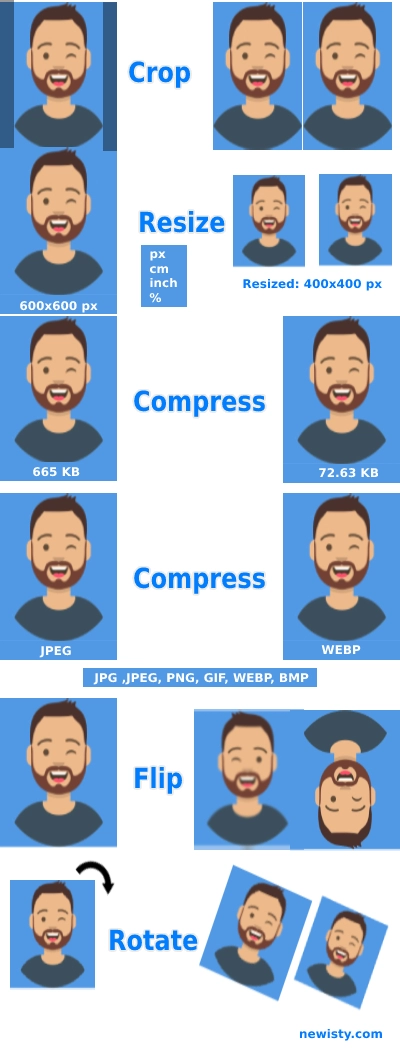
Feature of this Tool
Convert:
By using this tool you can convert 5 types of images into 5 formats. Available formats are (jpg/jpeg, png, gif, webp, BMP).
Resize:
Image Resize, Convert and Compress
Compress:
One of the most demanding image operations is image Compress. One of the finest features of this tool is your image will automatically compress without losing 0% quality. Or you can compress according to your need, without limitations.
コメント (0)
発生した問題について詳しくご説明ください。調査を行い、ツールの改善に役立てたいと思います。