
WBPSC Photo and signature editor, Resizer and Converter
Using this WBPSC photo and signature resizer, compressor and converter tool you can resize your photo in 3.5cmx4.5cm, 100 dpi (138 x 177px) and signature 3.5cmx1.5cm (138 x 59px), 100 dpi, compress photo size within 100KB and signature size between 10-20 and can convert photo and signature in jpeg format.
사용법 WBPSC Photo and signature editor, Resizer and Converter
Exam Photo & Document Tool
Drag & drop your image
JPG, PNG, WebP supported
내용 읽기
WBPSC Photo and Signature Resizer, Converter and Compressor
The West Bengal Public Service Commission (WBPSC) runs recruitment for posts such as WBCS (Executive), Clerkship, Miscellaneous Services, Food Sub-Inspector and many technical and teaching posts. Every one of these applications is filled online, and every one asks you to upload a scanned photograph and a scanned signature. If the file is the wrong size, the wrong weight or the wrong format, the portal simply refuses it, and a last-minute rejection is the last thing you want before a deadline.
This free tool fixes that. It resizes, crops, converts and compresses your photo and signature to the WBPSC format in your browser, then checks the result against the WBPSC limits before you download. No software, no sign-up.
WBPSC Photo Requirements
The official WBPSC "Guidelines for filling up the Online Application Form" set these rules for the photograph:
- Type: recent, colour, passport-size photograph.
- Size on paper: within 3.5 cm wide x 4.5 cm high.
- Pixel size: 138 x 177 pixels (the guideline's own resize example).
- Resolution: within 100 dpi.
- File size: less than 100 KB.
- Format: JPEG / JPG only.
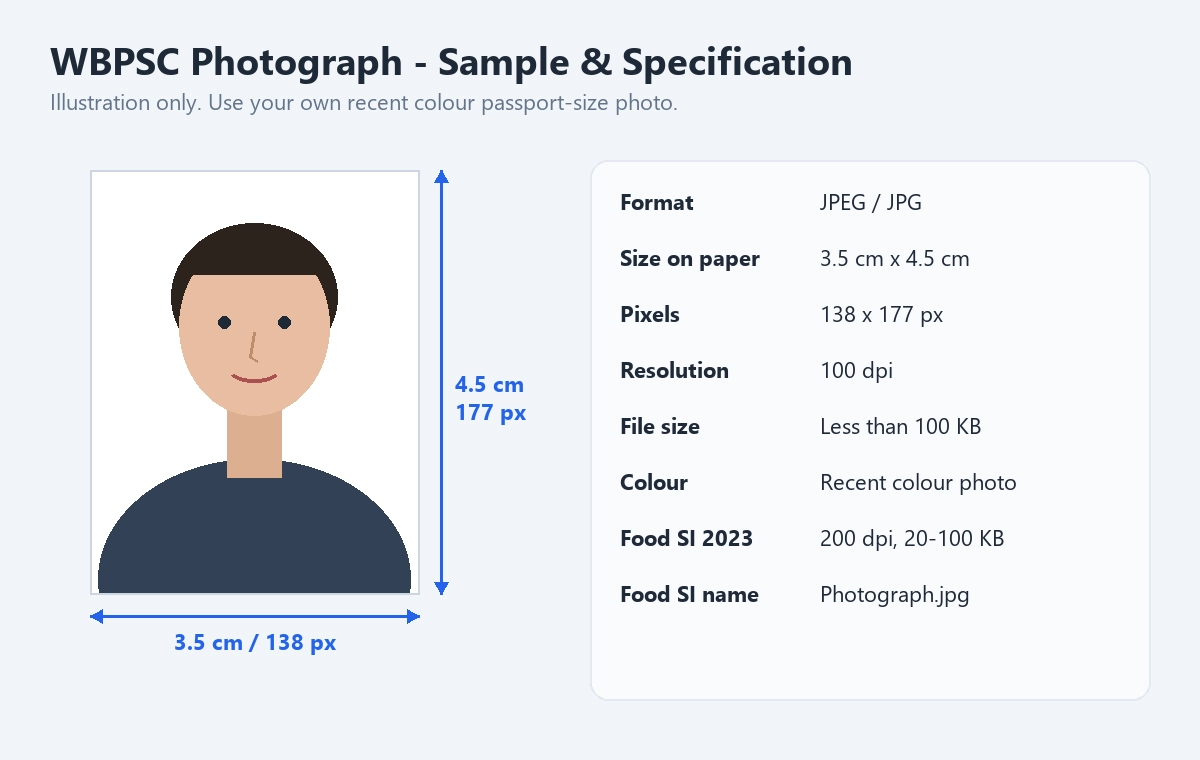
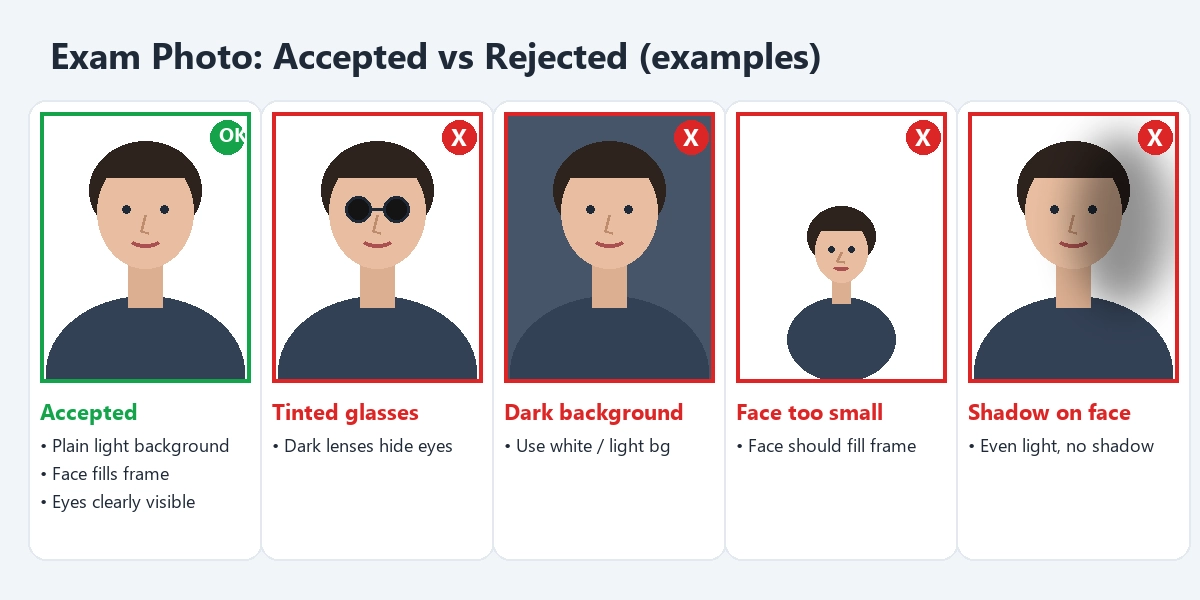
Use a plain, light background, look straight at the camera and make sure your whole face is clear and well lit. A clean photo also helps on exam day, when your face is matched against the admit card.
WBPSC Signature Requirements
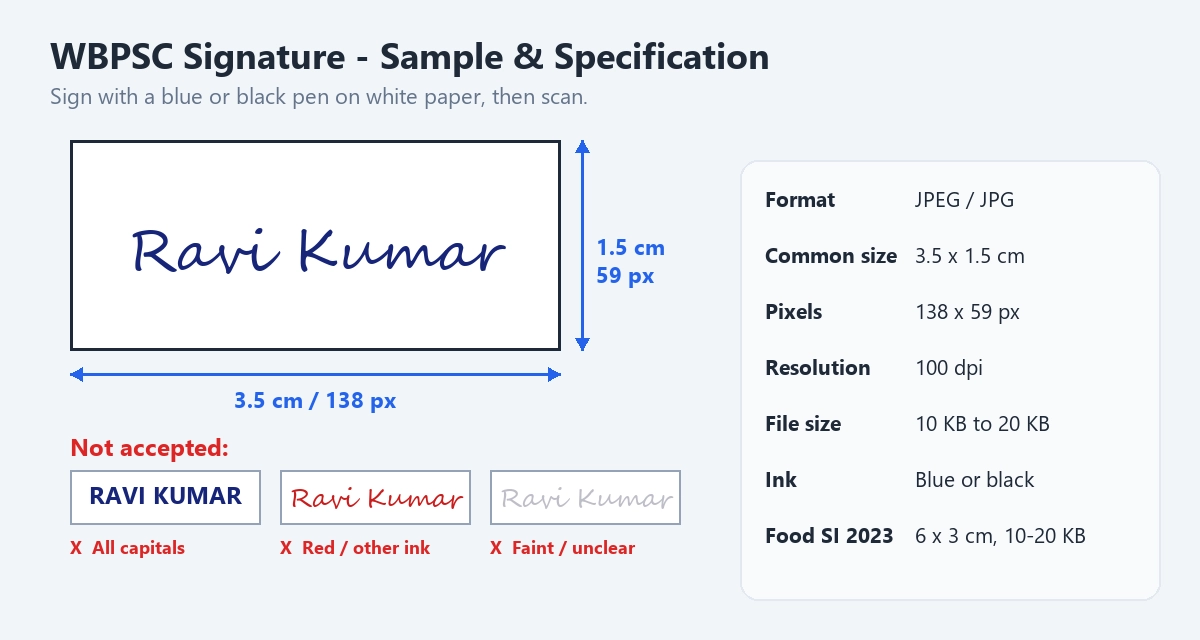
For the signature, the official guideline asks you to sign with a blue or black pen on a white sheet, scan it and upload a JPEG file. In practice, the size most candidates use, and the one this tool preselects, is:
- Size on paper: 3.5 cm x 1.5 cm.
- Pixel size: 138 x 59 pixels.
- Resolution: 100 dpi.
- File size: 10 KB to 20 KB.
- Format: JPEG / JPG.
WBPSC Food SI Photo and Signature Size
The Food Sub-Inspector recruitment (2023) used its own, stricter format. If you are applying for a Food SI post, pick the Food SI option in the tool:
- Food SI photo: 3.5 x 4.5 cm, 200 dpi, 20 KB to 100 KB, JPG/JPEG, file name
Photograph.jpg. - Food SI signature: 6 x 3 cm, 100 dpi, 10 KB to 20 KB, JPG/JPEG, file name
Signature.jpg.
Rules can change with each advertisement, so always compare these numbers with the advertisement for the post you are applying to.
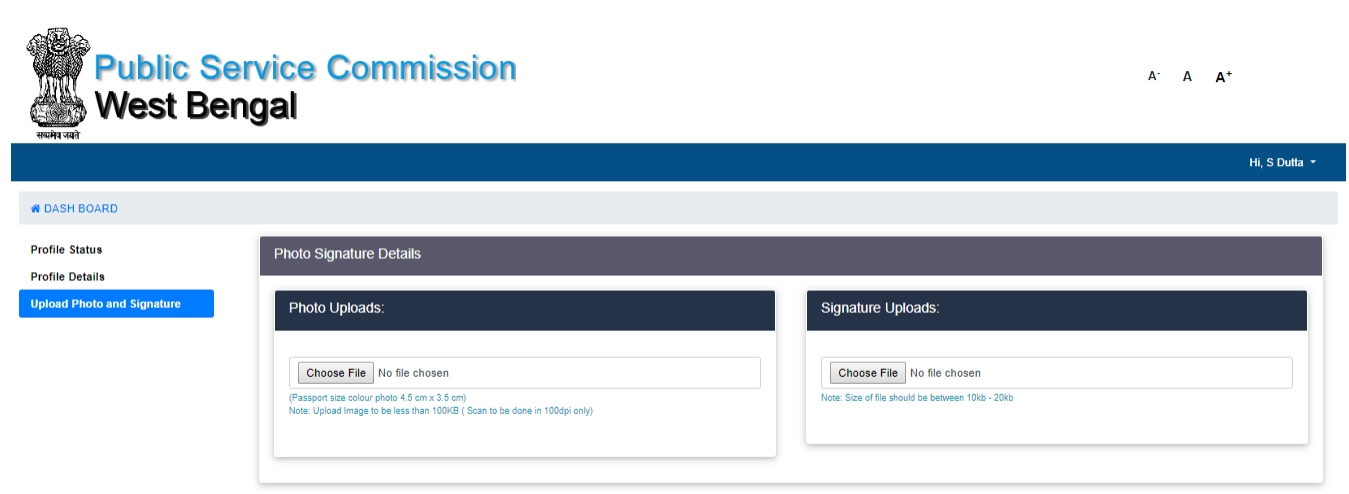
How the WBPSC Upload Screen Looks
After you log in, open Upload Photograph and Signature from the left panel. Choose your photo and signature files, click Upload Photo and Upload Signature, and you will be taken to the next page once both are accepted.
WBPSC 2026: Current Recruitment
The WBPSC Clerkship Examination 2024 (Advertisement No. 12/2024) was opened in October 2026. As reported from the detailed advertisement, online applications run from 6 October 2026 to 26 October 2026 (3:30 pm), with an edit window from 28 October to 1 November 2026, and Part-I of the exam is expected in December 2026. These dates are as reported and can change; always confirm them on the official WBPSC website (psc.wb.gov.in) before you apply.
What This Tool Can Do
- WBPSC presets. Choose WBPSC, then photo or signature, and pick the general, Food SI or pixel-based option.
- Exact size. Resizes to 138 x 177 px or 3.5 x 4.5 cm for the photo, and 138 x 59 px or 3.5 x 1.5 cm for the signature.
- Right file weight. Compresses the JPEG so it stays inside the allowed KB range.
- Format conversion. PNG, WebP and other images become a proper JPEG.
- Crop and adjust. Move, zoom, rotate, and use the face guide so your face sits in the middle of the frame.
- Check before download. A comparison table shows your file against the WBPSC rules.
- Private and free. Images are processed in your browser and nothing is stored.
How to Resize Your WBPSC Photo and Signature
- Take a clear, recent colour photo against a light wall, or scan a passport photo. For the signature, sign in blue or black ink on white paper and scan it.
- Open this tool and choose Photo or Signature.
- Pick the WBPSC size option that matches your advertisement (general, Food SI, or pixel size).
- Upload your image. JPG, PNG and WebP all work.
- Crop: keep your face centred in the oval guide, or crop the signature close to the ink.
- Click Apply crop, check the comparison table, then download the file and upload it on the WBPSC portal.
Do's and Don'ts
Do
- Use a recent colour photo with a plain, light background.
- Sign with a blue or black pen on clean white paper.
- Check the KB size shown by the tool before uploading.
- Use the Food SI option only for Food SI posts.
Don't
- Don't use selfies, group photo crops or dark, blurry pictures.
- Don't wear tinted glasses or caps that hide your face.
- Don't sign in capital letters or with a faint, unclear pen.
- Don't stretch the image; crop it instead so the proportions stay natural.
Limitations
This tool changes the size, format and file weight of an image. It cannot fix a photo that breaks the content rules, such as a dark background or a hidden face, and it does not upload anything to WBPSC for you. Newisty is not affiliated with the West Bengal Public Service Commission. Requirements can differ between advertisements, so always follow the advertisement for your post.
Frequently Asked Questions
자주 묻는 질문
댓글 (0)
발생한 문제를 자세히 설명해 주시면, 저희가 이를 조사하고 도구를 개선할 수 있습니다.