
Exam Photo Tools Alat telah dikemas kini 1 hari yang lepas

WAEC WASSCE Photo Resizer, Compressor and Converter

Using this free tool, resize your photo to 240x280 pixels, compress file size between 5KB-25KB, and convert to jpeg format for WAEC WASSCE on any mobile or computer and according to WAEC WASSCE photo guidelines.

WAEC WASSCE Photo Resizer Compress Image Convert Format

Gunakan WAEC WASSCE Photo Resizer, Compressor and Converter

Select your exam
What are you submitting?
Upload your image

Drag & drop your image

JPG, PNG, WebP supported

Browse file
Crop & adjust Optional
Adjust your image — or skip to use it as-is
Recommended for exam photo alignment
Keep the face centered inside the oval guide. For passport or exam-style photos, try to let the face fill roughly 70% of the crop height.
Mode
Zoom
Rotate
Flip
W: — H: —
Add name & date caption Optional Required by exam
Text is placed below the image — not printed on it
As it should appear on the form
Date of birth or exam date
Preview — name & date strip appears below the image
Processing your image…
Resizing to exam specifications
2.48K
Masa Digunakan
2.06K
Jumlah Pengguna
3+ tahun-tahun
Dihidangkan
Terakhir disemak pada 1 hari yang lepas. Nombor penggunaan dikemas kini semasa audit berkala. (Pelaporan sejak 21 Feb 2022)
Laporkan ketidakpadanan

Baca Kandungan

Pelajari cara alat ini berfungsi dan bila hendak menggunakannya.

Free WAEC WASSCE Photo Resizer, Compressor and Converter

WAEC WASSCE Photo Resizer, Compressor, and Converter is a free tool where you can easily resize your photo to 240x280 pixels, compress file size between 5KB-25KB, and convert to jpeg format for WAEC WASSCE. To resize, compress/reduce, and convert your photo for WAEC WASSCE according to WAEC WASSCE Photo guidelines and instructions.

Even you do not need to download or install any app or software. This tool is supported by every mobile, computer, operating system, and browser for free. No uses limit.

How to resize photo/image for WAEC WASSCE registration

Browse this tool from here

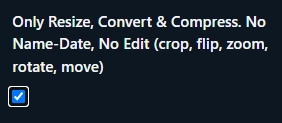
If you do not want to edit your photo (No crop, flip, zoom, rotate, move) then click Only Resize, Convert & Compress option.
Upload your photo

Then click Crop, Zoom, Rotate, Flip, Move button to edit (crop, flip, zoom, rotate, move) your photo or click Next. Resize, Convert and Compress to button to Resize, Convert & Compress.

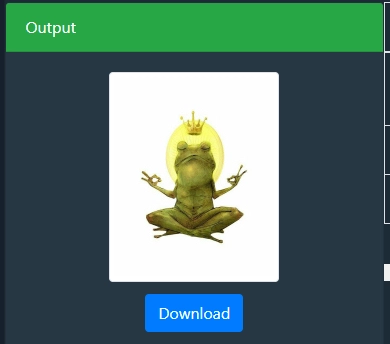
Then click to download button to save the processed image 
WAEC WASSCE Photo dimensions, size and format

WAEC WASSCE Photo dimensions are 240x280 pixels, file size should be between 5KB-25KB and JPEG format

WAEC WASSCE fAQ

Soalan Lazim

Jawapan ringkas untuk soalan yang ditanya pengguna sebelum mempercayai keputusan.

WAEC WASSCE photo dimensions should be 240x280 pixels.

WAEC WASSCE photo size should be be between 5KB-25KB.

WAEC WASSCE photo format is JPEG.

Komen (0)

Untuk perbincangan pengguna, kes sempadan, dan petua susulan.
Tinggalkan komen
Komen anda akan dipaparkan secara terbuka selepas dihantar.
Tiada komen lagi. Jadilah yang pertama untuk memberi komen!
Beritahu kami!
Laporkan masalah dengan alat ini

Terangkan masalah yang anda hadapi supaya kami dapat menyiasat dan memperbaiki alat tersebut.

Apa yang paling membantu
Sertakan input, hasil yang dijangkakan, hasil sebenar, pelayar/peranti, dan tangkapan skrin jika membantu.
Butang tangkapan skrin merakam halaman dalam pelayar dan melampirkan imej yang dijana pada borang ini.
Skrinshot penuh halaman
Direkod dalam pelayar anda dengan newisty.
Tiada tangkapan skrin yang diambil lagi.
Alat Laporan