
Indian Institute of Science (IISC) Admission Photo and Signature Converter, Resizer, Compressor Online
Indian Institute of Science (IISC) Photo and Signature Resizer, Compressor and Converter Online free tool to resize, compress and convert images for Indian Institute of Science (IISC) Admission Online Application according to Indian Institute of Science (IISC) guidelines.
Crop, rotate, flip, zoom Your Image to Remove unwanted parts from image. Here.

Crop images And then Resize Here
Zastosowanie Indian Institute of Science (IISC) Admission Photo and Signature Converter, Resizer, Compressor Online
Exam Photo & Document Tool
Drag & drop your image
JPG, PNG, WebP supported
Przeczytaj treść
Table of Contents
[hide]
Indian Institute of Science (IISC) Admission Photo and Signature Resizer, Converter, Compressor
Indian Institute of Science (IISC) Admission Photo and Signature Resizer, Converter, Compressor is a tool where you can resize your photo (150x184px - width x height), compress your photo within 500KB and convert your photo jpg format (or you can select gif, png). It will also resize your signature (300x40px - width x height), compress your photo within 100KB and convert your photo jpg format (or you can select gif, png)
Indian Institute of Science (IISC) Admission Test Photo and Signature Size, Dimensions and Format
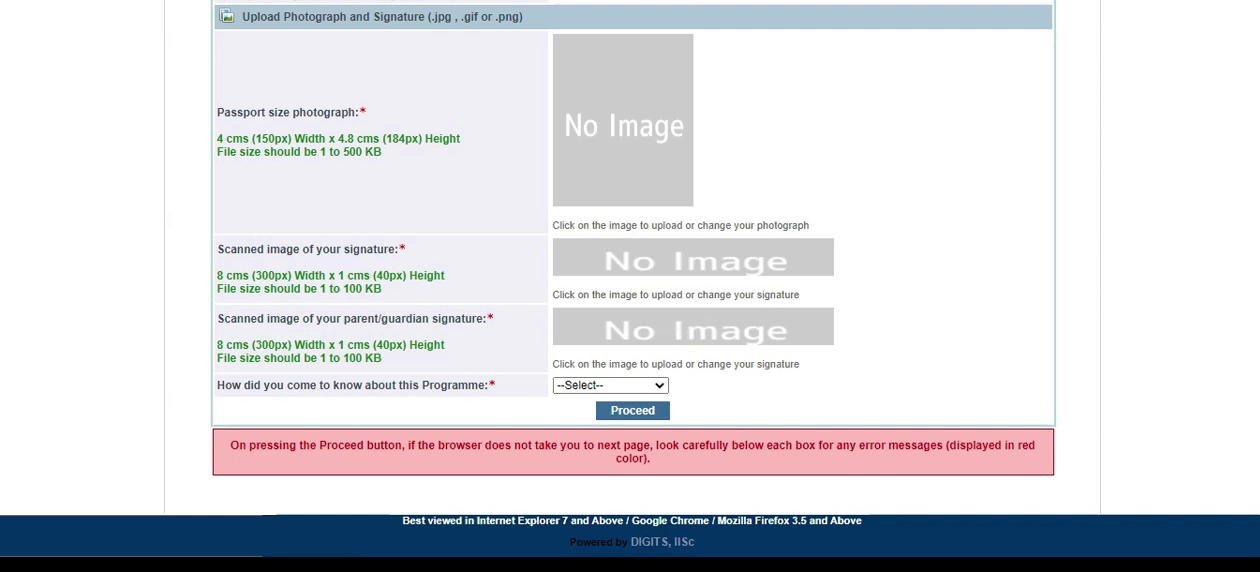
- Indian Institute of Science (IISC) Admission Photo size is 150x184px - width x height, filesize within 500KB and jpg, png, gif format
- Indian Institute of Science (IISC) Admission Signature size is 300x40px - width x height, filesize within 100KB and jpg, png, gif format
(JAM) Joint Admission Test for Masters Photo and Signature Resizer, Converter, Compressor
(JAM) Joint Admission Test for Masters Photo and Signature Resizer, Converter, Compressor is a tool where you can resize your photo (3.5cm (240-480px) X 4.5cm (320-640px) - width x height), compress your photo within 50-200KB and convert your photo jpeg format. It will also resize your signature (7cm (280-560px) X 2cm (80-160px) - width x height), compress your photo within 5-100KB and convert your photo jepg format;
(JAM) Joint Admission Test for Masters Photo and Signature Size, Dimensions and Format
- (JAM) Joint Admission Test for Masters Photo size is 150x200px - width x height, filesize within 50-200KB and jpeg format
- (JAM) Joint Admission Test for Masters Signature size is 300x50px - width x height, filesize within 5-100KB and jpeg format
Photo and Signature Guidelines and Important URL
Komentarze (0)
Opisz napotkaną trudność, abyśmy mogli zbadać sprawę i ulepszyć to narzędzie.