
Exam Photo Tools Narzędzie zaktualizowano 1 dzień temu

WAEC WASSCE Photo Resizer, Compressor and Converter

Using this free tool, resize your photo to 240x280 pixels, compress file size between 5KB-25KB, and convert to jpeg format for WAEC WASSCE on any mobile or computer and according to WAEC WASSCE photo guidelines.

WAEC WASSCE Photo Resizer Compress Image Convert Format

Zastosowanie WAEC WASSCE Photo Resizer, Compressor and Converter

Select your exam
What are you submitting?
Upload your image

Drag & drop your image

JPG, PNG, WebP supported

Browse file
Crop & adjust Optional
Adjust your image — or skip to use it as-is
Recommended for exam photo alignment
Keep the face centered inside the oval guide. For passport or exam-style photos, try to let the face fill roughly 70% of the crop height.
Mode
Zoom
Rotate
Flip
W: — H: —
Add name & date caption Optional Required by exam
Text is placed below the image — not printed on it
As it should appear on the form
Date of birth or exam date
Preview — name & date strip appears below the image
Processing your image…
Resizing to exam specifications
Link do narzędzia
Skopiowano do schowka.
Pomóż ulepszyć to narzędzie
2.48K
Czas wykorzystany
2.06K
Łączna liczba użytkowników
3+ lata
Podano
Ostatnia weryfikacja miała miejsce w 1 dzień temu. Dane dotyczące wykorzystania są aktualizowane podczas okresowych audytów. (Raportowanie od 21 Feb 2022)
Zgłoś niezgodność

Przeczytaj treść

Dowiedz się, jak działa to narzędzie i kiedy należy z niego korzystać.

Free WAEC WASSCE Photo Resizer, Compressor and Converter

WAEC WASSCE Photo Resizer, Compressor, and Converter is a free tool where you can easily resize your photo to 240x280 pixels, compress file size between 5KB-25KB, and convert to jpeg format for WAEC WASSCE. To resize, compress/reduce, and convert your photo for WAEC WASSCE according to WAEC WASSCE Photo guidelines and instructions.

Even you do not need to download or install any app or software. This tool is supported by every mobile, computer, operating system, and browser for free. No uses limit.

How to resize photo/image for WAEC WASSCE registration

Browse this tool from here

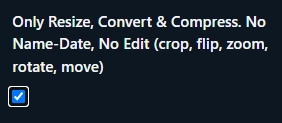
If you do not want to edit your photo (No crop, flip, zoom, rotate, move) then click Only Resize, Convert & Compress option.
Upload your photo

Then click Crop, Zoom, Rotate, Flip, Move button to edit (crop, flip, zoom, rotate, move) your photo or click Next. Resize, Convert and Compress to button to Resize, Convert & Compress.

Then click to download button to save the processed image 
WAEC WASSCE Photo dimensions, size and format

WAEC WASSCE Photo dimensions are 240x280 pixels, file size should be between 5KB-25KB and JPEG format

WAEC WASSCE fAQ

Najczęściej zadawane pytania

Krótkie odpowiedzi na pytania, które użytkownicy zadają, zanim zaufają wynikowi.

WAEC WASSCE photo dimensions should be 240x280 pixels.

WAEC WASSCE photo size should be be between 5KB-25KB.

WAEC WASSCE photo format is JPEG.

Komentarze (0)

W celu omówienia kwestii związanych z użytkowaniem, przypadków granicznych oraz dodatkowych wskazówek.
Dodaj komentarz
Twój komentarz zostanie opublikowany po wysłaniu.
Jeszcze nie ma żadnych komentarzy. Napisz pierwszy komentarz!
Daj nam znać!
Zgłoś problem z tym narzędziem

Opisz napotkaną trudność, abyśmy mogli zbadać sprawę i ulepszyć to narzędzie.

Co pomaga najbardziej
Prosimy o podanie danych wejściowych, oczekiwanego wyniku, rzeczywistego wyniku, nazwy przeglądarki/urządzenia oraz, jeśli to pomocne, zrzutu ekranu.
Przycisk „Zrzut ekranu” pozwala wykonać zrzut strony wyświetlanej w przeglądarce, a wygenerowany obraz jest dołączany do tego formularza.
Zrzut ekranu zajmujący całą stronę
Zrzut ekranu wykonany w przeglądarce za pomocą serwisu newisty.
Nie zrobiono jeszcze żadnego zrzutu ekranu.
Narzędzie Raport