
APPSC Photo and Signature resizer, converter and compressor
Using this free online APPSC Photo and Signature Resizer you can resize, crop, convert, and compress your photo and signature to the exact APPSC specification. Select APPSC, upload your image, and download a file at 3.5 x 4.5 cm, in JPEG, under 500 KB.
Use APPSC Photo and Signature resizer, converter and compressor
Exam Photo & Document Tool
Drag & drop your image
JPG, PNG, WebP supported
ᱯᱟᱲᱦᱟᱣ ᱡᱤᱱᱤᱥ
What the Andhra Pradesh Public Service Commission is
The Andhra Pradesh Public Service Commission has been recruiting for Andhra Pradesh government posts through competitive examinations since the state was formed in 1956, and it is headquartered at Vijayawada. It runs the Group 1 and Group 2 civil service examinations alongside a large volume of direct recruitment to subordinate, ministerial and department-specific posts, where a single advertisement can cover hundreds of posts across many departments.
Applications are filed online through the commission portal in English and Telugu. Group service recruitment runs in two stages, a screening or preliminary examination followed by the main examination, and shortlisting carries over into document verification. What makes the photograph matter here is the merged option: APPSC accepts a single image carrying the photograph and the signature together, and also accepts them as two separate files, so you need to know which one your particular advertisement asks for before you generate anything.
The official APPSC site is psc.ap.gov.in. Take the photograph and signature numbers from the notification published there rather than from a third-party summary, since that document is the one the portal was built against.
This page sets out the numbers APPSC actually asks for. It is not a general guide to cropping or to the tool interface, because those instructions do not change from one exam to the next and they are written up separately.
What the APPSC form asks you to upload
Two files go into this form. They are:
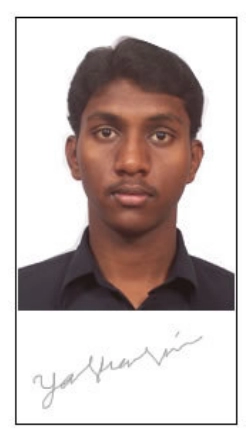
- A photograph at 3.5 x 4.5 cm, no heavier than 500 KB and no lighter than 50 KB.
- A signature at 3.5 x 1.5 cm, no heavier than 500 KB and no lighter than 50 KB.
| Item | Size | Unit | Format | Max file size | Min | DPI |
|---|---|---|---|---|---|---|
| Photo | 3.5 x 4.5 | cm | JPEG | 500 KB | 50 KB | 200 |
| Photo | 3.5 x 6 | cm | JPEG | 500 KB | 50 KB | 200 |
| Signature | 3.5 x 1.5 | cm | JPEG | 500 KB | 50 KB | 200 |
The APPSC numbers, and why they matter
APPSC is specified in centimetres rather than pixels, so the sizes in the table are physical measurements and the notification pairs them with 200 DPI resolution. The tool converts through that DPI value instead of scaling the image to an arbitrary pixel count, which is why the output is correct at print size and not just at screen size.
Worth knowing that APPSC works in both directions. The photo must be no larger than 500 KB and no smaller than 50 KB, and the signature no larger than 500 KB with 50 KB as its floor. Overshooting the ceiling is the usual mistake; undershooting the floor is the one that surprises people who compress hard.
One APPSC option is a combined photograph and signature image rather than two separate uploads, at 3.5 x 6 cm. These are two different ways of satisfying the same requirement, not a sequence. Whichever your advertisement names, resize the photo and the signature to their own sizes first and merge afterwards, or the signature gets scaled along with the photo and lands off the required measurements.
If the APPSC application refuses your file
- A APPSC rejection usually comes down to one of two things. Either the file is over 500 KB because the crop left too much empty background, or the photo itself has a non plain background, a tilt, or a filter. Fix the weight first since it is measurable, then the photograph.
- The signature is judged on its own 3.5 x 1.5 cm box and is not rescued by a correct photograph. If it is rejected, the usual cause is loose cropping: a signature scanned with a wide white margin carries more weight than the 500 KB allowance and fails even though the writing itself looks right.
- When two identical files are both refused, the file is usually not the variable. Re-check the notification against the table above, since a corrigendum between your two attempts is the usual explanation.
Official links from the original page
Images from the original page

Frequently Asked Questions
Cropping to a face, choosing a compression level, and the reasons a correctly sized photograph still gets refused do not vary by exam, so those are covered in one place rather than repeated here. See the complete photo and signature guide.
Suggested Tools







FAQ
Comments (0)
Describe the issue you encountered so we can investigate and improve the tool.