
CUET Admission Photo and Signature Resizer, Converter and Compressor
Using this free online CUET Admission Photo and Signature Resizer you can resize, crop, convert, and compress your photo to the exact CUET admission specification. Select CUET admission, upload your image, and download a file at 300 x 300 px, in JPEG, under 500 KB.
استعمال کریں CUET Admission Photo and Signature Resizer, Converter and Compressor
Exam Photo & Document Tool
Drag & drop your image
JPG, PNG, WebP supported
مواد پڑھیں
What this tool's record covers
This page's stored record carries a single university preset: the University of Chittagong, the large public university in Chattogram whose first-year honours admission test fills the units labelled A through D each January across exam centres in Chattogram, Dhaka and Rajshahi. Applications are filed through the university's admission portal run by its ICT Cell, with a fixed fee per unit or sub-unit chosen.
Unlike most pages here there is no signature entry in this record at all, so the tool is handling a photo-only upload, and that changes how you should think about the job. The single stored row is a 300 by 300 pixel square inside a 50 to 500 KB window, a square frame rather than the portrait ratio used elsewhere. Because nothing else is attached, the portrait carries the whole visual record, so it is worth spending the effort on framing and light rather than on trying a dozen compression settings. Always confirm the current circular on the admission portal, since university-level specifications can be revised between cycles.
The board publishes its notices at admission.cu.ac.bd. The numbers on this page come from the recorded specification, and the notice on that site is the authority whenever the two differ.
This page sets out the numbers CUET admission actually asks for. It is not a general guide to cropping or to the tool interface, because those instructions do not change from one exam to the next and they are written up separately.
What the CUET admission form asks you to upload
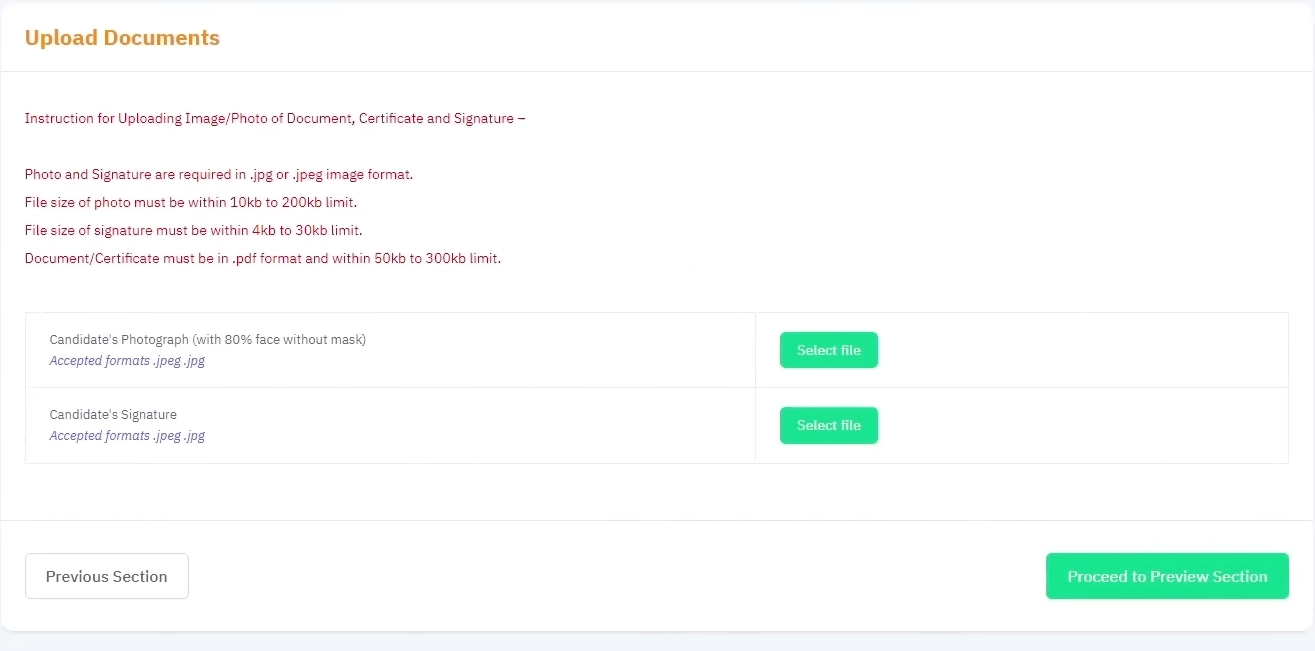
Only one image is uploaded here.
- A photograph at 300 x 300 px, no heavier than 500 KB and no lighter than 50 KB.
| Item | Size | Format | Max file size | Min | DPI |
|---|---|---|---|---|---|
| Photo | 300 x 300 | JPEG | 500 KB | 50 KB | 96 |
The CUET admission numbers, and why they matter
Nothing here is quoted in centimetres or inches. CUET admission works in square pixel dimensions, so centring the subject inside a square canvas matters more than any conversion factor. The usual instinct to crop tight to the shoulders and head does not produce the shape this portal validates.
There are two limits to satisfy for CUET admission, not one. The upper bound on the photograph is 500 KB and the lower bound is 50 KB. Compression that overshoots is easy to fix by lowering quality again, but a file under the floor cannot be fixed by compressing further, it needs a larger source image.
If the CUET admission application refuses your file
- If CUET admission refuses a file, start with the weight on the result card against the 500 KB, then look at the picture. At this ceiling, an uncropped phone photo straight off the camera will not fit, so crop before you compress rather than after.
- Two identical rejections usually mean the specification moved rather than the file. Compare the table above against the current notification before you generate a third attempt.
Images from the original page
Frequently Asked Questions
The mechanics of the crop step, the face mask overlay, and the compression trade-off are identical across all of these tools, so they have their own guide instead of a section on every page.
اکثر پوچھے جانے والے سوالات
Suggested Tools








تبصرے (0)
براہ کرم آپ کو درپیش مسئلے کی وضاحت کریں تاکہ ہم اس کی تحقیقات کر سکیں اور ٹول کو بہتر بنا سکیں۔