
Aadhaar PVC Card Photo Resizer
Using this free online Aadhaar Photo Resizer you can resize, crop, convert, and compress your photo to the exact Aadhaar specification. Select Aadhaar, upload your image, and download a file at 3.5 x 4.5 cm, in JPEG, under 1000 KB.
Sử dụng Aadhaar PVC Card Photo Resizer
Exam Photo & Document Tool
Drag & drop your image
JPG, PNG, WebP supported
Đọc nội dung
What the Aadhaar photo is for
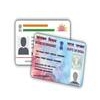
Aadhaar is the twelve-digit identity number issued by the Unique Identification Authority of India, and a photograph is part of the record attached to it. Most people meet the photo requirement twice: once when enrolling, and again when an address, name or biometric detail is updated at an Aadhaar Seva Kendra or through the online update service on uidai.gov.in. The image is a passport-style portrait, and the forms that accept an upload are strict about its shape because the same file is printed on the acknowledgement slip and stored against the record.
The stored row for this tool is a 3.5 by 4.5 cm portrait at 200 dpi, between 10 KB and 1 MB, saved as JPEG. That is a wide band by government standards, so the difficulty is not compression but proportion: a phone photograph is usually 4:3 or 16:9, and cropping it to 3.5 by 4.5 without cutting the top of the head or the chin is the step that decides whether the image is accepted. Keep a plain light background, face the camera squarely, and avoid filters, because the photograph is used for identity matching rather than for a profile.
The department publishes its notices at uidai.gov.in. The numbers on this page come from the recorded specification, and the notice on that site is the authority whenever the two differ.
This page sets out the numbers Aadhaar actually asks for. It is not a general guide to cropping or to the tool interface, because those instructions do not change from one application to the next and they are written up separately.
What the Aadhaar form asks you to upload
There is a single file to prepare.
- A photograph at 3.5 x 4.5 cm, no heavier than 1000 KB and no lighter than 10 KB.
Stored preset. The dimensions and the 10 KB to 1 MB band above are the values recorded in this tool. UIDAI's current instructions for the particular update you are making are the authority, so confirm them before you upload.
| Item | Size | Unit | Format | Max file size | Min | DPI |
|---|---|---|---|---|---|---|
| Photo | 3.5 x 4.5 | cm | JPEG | 1000 KB | 10 KB | 200 |
The Aadhaar numbers, and why they matter
Notice that the Aadhaar figures are measurements in centimetres, not pixels. At 200 DPI a 3.5 by 4.5 centimetre frame is a specific pixel count, and the tool derives it rather than guessing. A photo that is the right number of pixels but the wrong DPI reads as the wrong size to a portal that checks both.
The Aadhaar photograph allowance runs up to 1000 KB with a floor of 10 KB. Since there is little or nothing to overshoot downwards, the practical pressure on this record is the ceiling rather than the floor.
If the Aadhaar application refuses your file
- A Aadhaar rejection usually comes down to one of two things. Either the file is over 1000 KB because the crop left too much empty background, or the photo itself has a non plain background, a tilt, or a filter. Fix the weight first since it is measurable, then the photograph.
- Two identical rejections usually mean the specification moved rather than the file. Compare the table above against the current guidelines before you generate a third attempt.
Frequently Asked Questions
The crop walkthrough, the face mask guide, the compression settings, and the full list of reasons a portal rejects an otherwise correct photo are written up once, because they apply to every application.
Câu hỏi thường gặp
Suggested Tools

Bình luận (0)
Hãy mô tả vấn đề mà bạn gặp phải để chúng tôi có thể tìm hiểu và cải thiện công cụ này.