
BMP to JPEG Image Converter
This BMP to JPEG image converter will convert your bmp image to jpeg format with proper lossless compression. Use our BMP to JPEG converter to convert your BMP image files to the JPEG file format quickly and easily. Just drag and drop and Convert BMP to JPEG using Newisty BMP to JPEG image converter.
Crop, rotate, flip, zoom Your Image to Remove unwanted parts from image. Here.

Crop images And then Resize Here
Zastosowanie BMP to JPEG Image Converter
Konfiguracja
Wybierz zdjęcia
Przeczytaj treść
BMP to JPEG image converter
This BMP to JPEG image converter will convert your bmp image to jpeg format with lossless compression. Use our BMP to JPEG converter to convert your BMP image files to the JPEG file format quickly and easily. Just drag and drop and Convert BMP image to JPEG format using Newisty BMP to JPEG converter.
- Unlimited and Batch upload and image conversion
- Automatic and lossless file compress. We compress images but do not compromise with image quality.
- We convert, resize and compress images from image URL.
- We don't ask you for your image or other information.
Image Resize, Convert and Compress
An image converter is a type of program or tool used in combination with one or more other software tools and techniques to convert from one image format into another format. Image converters can convert color image files into any other format like an image file format such as gif or png.
The most common image converter is the Photoshop-based image converter, which allows the user to make changes and modifications to existing images and even add effects like grayscale and curve fills. However, it is also possible to use a third-party image converter online, which may cost a bit more but provides more advanced features.
One of the best image conversion online tools is the GIMP (GNU Image Manipulation Program) which can efficiently perform sophisticated operations.
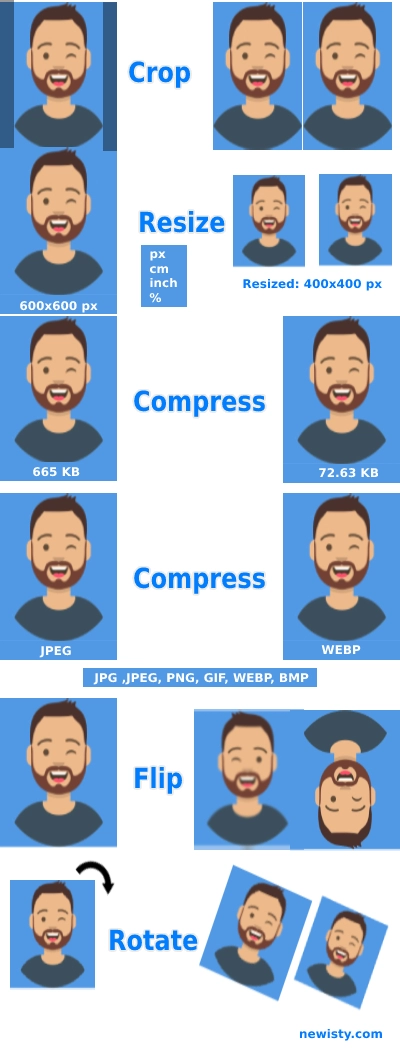
Feature of this Tool
Convert:
By using this tool you can convert 5 types of images into 5 formats. Available formats are (bmp/jpeg, png, gif, webp, BMP).
Resize:
By using this tool you can your images into Pixel, Centimeter, Inch or according to Percentage.
Compress:
One of the most demanding image operations is image Compress. One of the finest features of this tool is your image will automatically compress without losing 0% quality. Or you can compress according to your need, without limitations.
Komentarze (0)
Opisz napotkaną trudność, abyśmy mogli zbadać sprawę i ulepszyć to narzędzie.