
YouTube Thumbnail Downloader - All sizes in 5 Format
Download YouTube Thumbnails in (SD, HD, HQ, 1080p, and 4K) format and If you want to compress, resize or convert YouTube Thumbnails than use YouTube Thumbnail Compressor, Resizer, Cropper and Converter.
Sử dụng YouTube Thumbnail Downloader - All sizes in 5 Format
Đọc nội dung
Table of Contents
[hide]
About YouTube Thumbnail Downloader
YouTube Thumbnail Downloader is an online tool that helps you to download YouTube thumbnails images easily, fastly and in all formats. No need to install any app, anonymously and free for everybody. Just paste your youtube video url, click Get Thumbnail button and save your desired thumbnail with all sizes.
What is YouTube Video Thumbnail
YouTube thumbnail is one kind of cover image of youtube videos, that gives a preview of the video. YouTube thumbnail image represents video content to users. It helps a creator to represent their video content in a single image.
YouTube Video Thumbnail Types
There are two types of thumbnails in YouTube videos.
1. Automatically generated by YouTube, and 2. Uploaded by the creator (Custom Thumbnails).
1. Automaticated Thumbnails
Thumbnails that are automatically generated by YouTube are called Automaticated Thumbnails
2. Custom Thumbnails
Thumbnails that are uploaded by creators are called Custom Thumbnails.
Importance of Custom Thumbnails
Thumbnails and titles are usually the first things viewers see when browsing on YouTube and an important piece of the creator's video’s metadata. They work together as a team to build anticipation while accurately representing what’s in your video.
It is important to make video thumbnails as engaging as possible while also using your thumbnail to tell a potential viewer what the video will be about.
A Great custom thumbnail of video can make all the difference when it comes to a viewer clicking through to your video. A good thumbnail makes you want to watch the video. A bad thumbnail or no thumbnail does not make a good impression for a creator.
Why YouTube Thumbnail Downloader
It doesn't matter what kind of thumbnail, thumbnail URL is hidden, you can't find the thumbnail link on YouTube, and you can't save it. That's why this tool will help you to download or save any format's YouTube Thumbnails
Copyright of Thumbnail
The copyright of thumbnails belongs to the respective creator or designer. Reusing, publishing without the permission of the copyright owner, they can report and sue you for using their thumbnail. Therefore, we don't recommend copying the video thumbnails of others. But it can be used as a design inspiration to create your thumbnails.
How To Downlaod YouTube a Thumbnail
- Copy your YouTube Video URL
- Go to https://newisty.com/youtube-thumbnail-downloader
- Paste your YouTube Video URL by clicking paste button.

- Click Get Thumbnail button
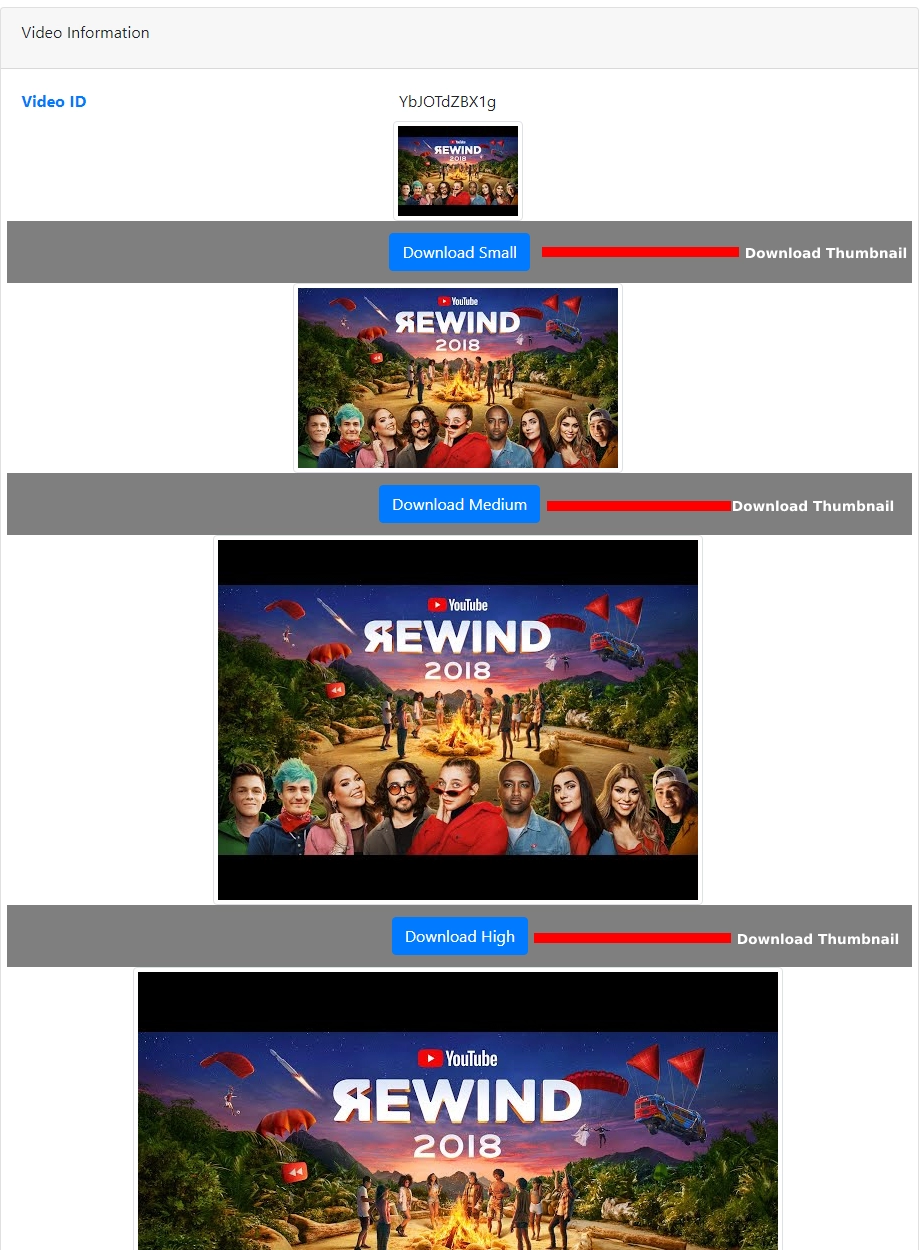
- Click Download Button To Downlaod YouTube Thumbnail.
Is YouTube Thumbnail Downloading illegal?
In one word No. You can download YouTube Thumbnail. Then why it is prohibited? Because To Prevent reusing of YouTube Thumbnails. Basically you can download YouTube Thumbnail but you can't reuse YouTube Thumbnail. Because YouTube Thumbnail is a property of its original owner. So you can't reuse YouTube Thumbnails without owner permission.
Copyright Action on Downloaded YouTube Thumbnail
You may get a Copyright Strick / DMCA if you re-use YouTube Thumbnail without proper permission. So don't reupload or reuse it directly Learn How To use YouTube Thumbnail Without Copyright?
How To use YouTube Thumbnails Without Copyright?
So from the above section, you already know that, in YouTube Thumbnail what is illegal and what is not. Now I will tell you what you can do. Basically, you can't reuse YouTube Thumbnail, but you can inspire from a YouTube Thumbnail, you can re-create or re-design by a Photo editing tool like Photoshop.
SEO effect of Downloaded YouTube Thumbnail
What the SEO effect in Downloaded YouTube Thumbnails? The very simple answer and the answer is a negative effect on SEO. Downloaded YouTube Thumbnails will affect your content negatively.
Because you know google or other search engines like original, fresh, and unique content. But when you download and reuse it without proper editing your image will not be ranked in Google or other search engines, because it is not unique, it is duplicated, and copied from others. And most important thing google or other search engines already know which one is original. So they will prioritize the original, fresh, and unique content. So that's why downloading YouTube Thumbnail will affect your content negatively
YouTube Thumbnail Compressor, Resizer, Cropper and Converter
YouTube Thumbnail Compressor, Resizer, Cropper and Converter
Getting a clean thumbnail file
Start with the largest image that exists. The max-resolution file is 1280 by 720 and uses a 16:9 frame. Standard is 640 by 480 and high quality is 480 by 360, both 4:3 and often letterboxed. Medium is 320 by 180 and default is 120 by 90.
The page downloads the JPEG that YouTube serves; it does not re-encode, crop or upscale it. Timestamps, playlist parameters and tracking query strings do not matter because only the eleven-character video ID is used.
If a file opens in a tab instead of saving, use the browser's save command or right-click the preview image. For a clean result, avoid upscaling the small default image, which will look soft on a large screen.
What happens after you press Get Thumbnail
Everything runs in your browser. The page reads the eleven-character video ID from the link, builds the five image addresses on YouTube's image host, img.youtube.com, and shows them as cards. No request goes to a Newisty server to find the images. You can press Enter in the link box instead of clicking the button.
A short notice confirms the ID it found, and the preview card shows that ID with a link back to the video's watch page. Check the ID against the video you meant before downloading, especially when a link was copied from a playlist or a chat message.
Pasting only the video ID
The link box also accepts a bare ID, such as the eleven characters after v= in a watch link. This is useful when a link format is not recognised: copy just the ID from the address and paste it on its own.
File names and the Download Best button
Each card's Download button saves the image as a JPEG named after the video and the size, for example yt-VIDEOID-hqdefault.jpg or yt-VIDEOID-mqdefault.jpg. That keeps several downloads from the same video apart in your downloads folder.
The Download Best button in the toolbar saves one file only, the max-resolution image, as yt-VIDEOID-best.jpg. It does not download the other four sizes. If a video has no max-resolution image, use the Download button on the Standard or High Quality card instead.
The page first tries to fetch the image and save it directly. If the browser blocks that request, it opens the image in a new tab, where you can save it with the browser's own save command.
Frequently Asked Questions
Câu hỏi thường gặp
Bình luận (0)
Hãy mô tả vấn đề mà bạn gặp phải để chúng tôi có thể tìm hiểu và cải thiện công cụ này.