
Add Date On Photo for SSC CHSL In Online for free
Add date on your photo for SSC CHSL in online without downloading / installing any apps or software. To write and add date on photo for SSC CHSL in online, just select your date and upload your photo. Your selected date will be printed automatically on your photo.
Add Date In Photo for SSC CGL Exam in Online SSC CHSL Photo and Signature Resizer, Converter and Compressor Online SSC CGL Photo and Signature Resizer, Compressor and Converter with date on photo
使用 Add Date On Photo for SSC CHSL In Online for free
Add Date on Photo for SSC CHSL
输入
将您的照片拖放至此处
编辑
处理后的预览
阅读内容
Table of Contents
[hide]
Add Name Date on Photo for SSC CHSL 2023
To submit SSC CHSL online application, you need to add your name & date or date only on the photo. Using this free tool you can add or edit name-date on your photo for SSC CHSL online application without any hassle and for free. No need to download/install any apps or software.
What you have to do to add a name-date on the photo for SSC CHSL is, just enter your name and select your date of birth or date of photo from the date input field and then drag and drop or select and upload your photo, your name-date will be printed on at the bottom of your photo automatically.
How To add Date on Photo for SSC CHSL
- Search add date to photo online for ssc chsl on google
- Find newisty.com and go to https://newisty.com/add-date-on-photo-for-ssc-chsl
- Select Date from date input field
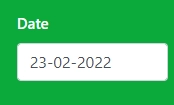
- Click Next Step

- Drag and Drop or select your image to upload

- And Boom!!!, Your image will be ready with name and date. Sample
![SSC CHSL Photo With Date [With Sample]](/uploads/images/tools/content/3d2615ca42bb616fc6e2195572-newisty_approved-008712900-1645635685.webp)
How To edit Name & Date on Photo for SSC CHSL
- Search edit name date to photo online for ssc chsl on google
- Find newisty.com and go to https://newisty.com/add-date-on-photo-for-ssc-chsl
- If you already have name-date in your photo then you need to crop and remove the old name-date from your photo. To crop, edit and remove old name-date from your photo
- To edit or remove old name/date by cropping from photo click Crop / Remove old name-date.
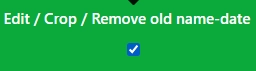
- Then Select Date from date input field
- Click Next Step
- Drag and Drop or select your image to upload
- And Finally, your name and date will be printed on your photo automatically.
Why Newisty Photo Name and Date Editor Tool for SSC CHSL
To add or edit the name date or only the date In the photo, you can use an offline tool or online tool. But in the offline tool, you need to download and install offline apps or software. Also, in the offline tool, you need different apps or software for different types of devices or operating systems. Sometime you need to purchase offline tools to use.
But in the Newisty free Name Date Editor tool, you can add and edit the name and date or only the date on your photo or SSC CHSL in online without any downloading/installing hassle on any device and OS.
By using this tool, you can add or edit your name and date of birth or date of photo easily and quickly for SSC CHSL.
No matter which mobile/android device or operating system like windows, Linux, or mac you are using, just enter your name, select your date, if needed to remove the old name date, then click Remove old name-date and upload your photo. Your name and date will be printed on your photo automatically without any hassle.
评论 (0)
请描述您遇到的问题,以便我们进行调查并改进该工具。