
TNEA Photo and Signature Compressor, Resizer and Converter Online free
Using this free online TNEA Photo and Signature Resizer you can resize, crop, convert, and compress your photo and signature to the exact TNEA specification. Select TNEA, upload your image, and download a file at 3.5 x 4.5 cm, in JPEG, under 50 KB.
使用 TNEA Photo and Signature Compressor, Resizer and Converter Online free
Exam Photo & Document Tool
Drag & drop your image
JPG, PNG, WebP supported
阅读内容
What Tamil Nadu Engineering Admissions is
Tamil Nadu Engineering Admissions is the single window admission process for first year B.E. and B.Tech degree places in government, government aided and university departments of engineering colleges in the state, including those of Anna University. Registration, choice filling and seat allotment all run through the common portal, and the whole process is driven by the Tamil Nadu Engineering Common Entrance Test rank.
A single TNEA registration feeds many college applications, so the uploaded photograph and signature follow the candidate through every allotment in the counselling cycle rather than being attached to one institute. Alongside the physical frame the record also stores a 200 by 230 pixel option for both the photograph and the signature, which is convenient because the signature entry uses the same 200 by 230 figure as the photograph rather than a narrower strip. It also asks for the Class 10 mark sheet or certificate as a document image, capped at a full 1 MB, which is the largest allowance of any document in this group.
The official TNEA site is www.tneaonline.org. Take the photograph and signature numbers from the notice published there rather than from a third-party summary, since that document is the one the portal was built against.
This page sets out the numbers TNEA actually asks for. It is not a general guide to cropping or to the tool interface, because those instructions do not change from one exam to the next and they are written up separately.
What the TNEA form asks you to upload
There are 3 uploads on this application. Missing any single one of them stops the form from being accepted, so it is worth preparing the lot before you start filling it in. They are:
- A photograph at 3.5 x 4.5 cm, no heavier than 50 KB and no lighter than 20 KB.
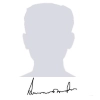
- A signature at 3.5 x 1.5 cm, no heavier than 50 KB and no lighter than 20 KB.
- A marks memo or mark sheet scan at 800 x 1200 px, up to 1024 KB.
| Item | Size | Unit | Format | Max file size | Min | DPI |
|---|---|---|---|---|---|---|
| Photo | 3.5 x 4.5 | cm | JPEG | 50 KB | 20 KB | 200 |
| Photo | 3.5 x 4.5 | cm | JPEG | 50 KB | 20 KB | 96 |
| Photo | 200 x 230 | px | JPEG | 50 KB | 20 KB | 96 |
| Signature | 3.5 x 1.5 | cm | JPEG | 50 KB | 20 KB | 200 |
| Signature | 3.5 x 1.5 | cm | JPEG | 50 KB | 20 KB | 96 |
| Signature | 200 x 230 | px | JPEG | 50 KB | 20 KB | 96 |
| Document | 800 x 1200 | px | JPEG | 1024 KB | 150 KB | 96 |
The TNEA numbers, and why they matter
TNEA publishes its sizes in both units, which means the record is offering two ways to express the same kind of requirement. Pick the row that matches how your own advertisement is worded: centimetres when the notification states a physical frame, pixels when it states a resolution. They are alternatives published for different notifications, not a sequence to apply in turn.
Resolution appears more than once in the TNEA record, at 200 and 96 DPI. That is not a contradiction: the physical frame is the same in both, and the choice is how densely the image is stored. Where an advertisement is silent, the 200 DPI row is the safer one, because a denser image still measures correctly at a lower resolution while the reverse is not true.
TNEA sets a floor as well as a ceiling. The photograph has to land between 20 KB and 50 KB, and the signature between 20 KB and 50 KB. A file far below the minimum can fail the portal check even though it is technically under the limit, which is why the tool exposes a minimum field next to the maximum.
The TNEA record offers 3 photograph options and 3 signature options: 3.5 x 4.5 cm; 200 x 230 px. These come from different notifications and different recruitment streams rather than from one form, so there is no single right answer to which to use. Take the size from the advertisement you are actually applying under, and if it names a size that is not listed here, enter it by hand in the width and height fields.
There is a further upload on this form, covering a certificate. They sit alongside the photograph rather than replacing it, and each carries its own ceiling, so a file prepared for the portrait is the wrong starting point for them.
If the TNEA application refuses your file
- A TNEA rejection usually comes down to one of two things. Either the file is over 50 KB because the crop left too much empty background, or the photo itself has a non plain background, a tilt, or a filter. Fix the weight first since it is measurable, then the photograph.
- Check the signature separately from the photograph. A 3.5 x 1.5 cm box with a wide margin around the writing will breach the 50 KB ceiling on its own, which is a different fix from anything that applies to the portrait.
- When two identical files are both refused, the file is usually not the variable. Re-check the notification against the table above, since a corrigendum between your two attempts is the usual explanation.
Official links from the original page
Frequently Asked Questions
How to position a face inside the crop frame, and how far to push compression before quality suffers, is the same lesson for every exam, so it sits in a single shared guide. Read the complete photo and signature guide.
常见问题解答
Suggested Tools



评论 (0)
请描述您遇到的问题,以便我们进行调查并改进该工具。