How to Resize, Compress and Convert TNPSC Photo and Signature in Mobile
How to Resize, Compress and Convert TNPSC Photo and Signature, Add Name-Date by in Mobile
In this article I will show you how to Resize, Crop, rotate, Compress and Convert TNPSC Photo and Signature, Add Name-Date by using mobile Mobile.
TNPSC Photo and Signature Size Compressor, Resizer, Converter Online Editor
Step 1: Go to https://newisty.com/tnpsc-photo-and-signature-compressor-and-resizer-tool
Step 2: Select your document type from Select Your Image Document option

Step 3: Uncheck Add Name Date if you do not want to add your name and date of photo at the bottom of your photo.

Step 4: Check Only Resize, Convert & Compress. No Name-Date, No Edit (crop, flip, zoom, rotate, move) if you do not want to add your name and date of photo at the bottom of your photo or do not want to edit your photo and signature like No crop, flip, zoom, rotate, move etc

Step 5: Upload your photo and signature
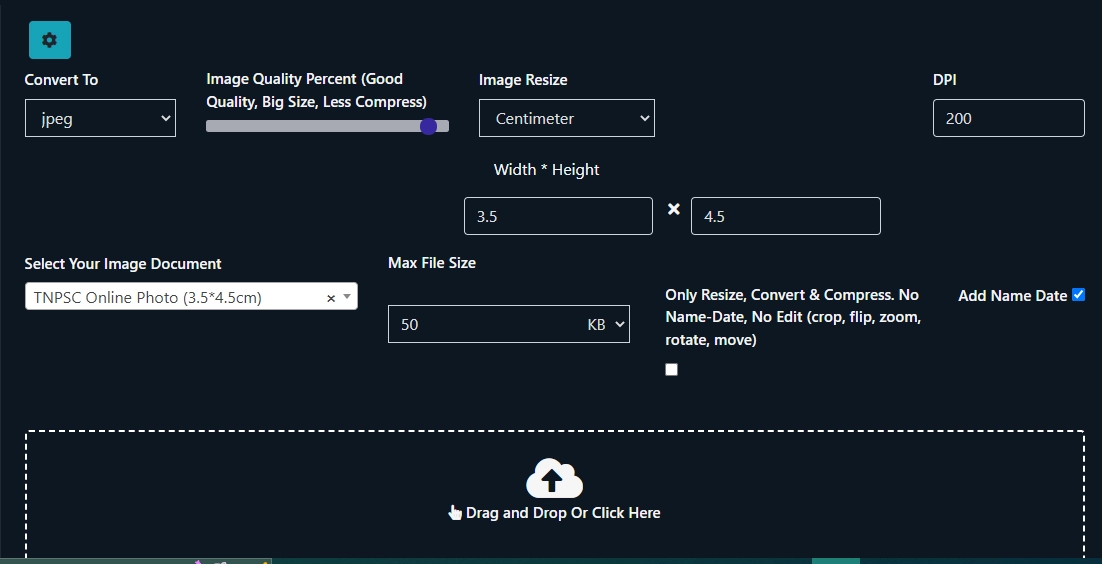
Step 6: If needed crop or edit Your Photo or Signature or Skip

Step 7 : Add Name and Date

Step 8 : Click to Resize, Convert and Compress button to Resize, Rename, Convert and Compress Your image according to TNPSC Guideline


New TNPSC Photo Compressor, Resizer, Converter, Add Name-Date Online Editor Advance ToolAll In One
For Any Problem, Solution is Here
Related Posts

DRDO RCI Apprentice Recruitment 2026 — 195 Posts, Apply Online

UP Basic Education Rampur ECCE Educator Recruitment 2026 — 122 Posts

MPESB Group-3 Sub Engineer Recruitment 2026 — 1040 Posts, Apply by 01 Sep