
How Much Venmo Really Takes: 7 Hidden Fees Most Users Don't Know About (With Calculator)
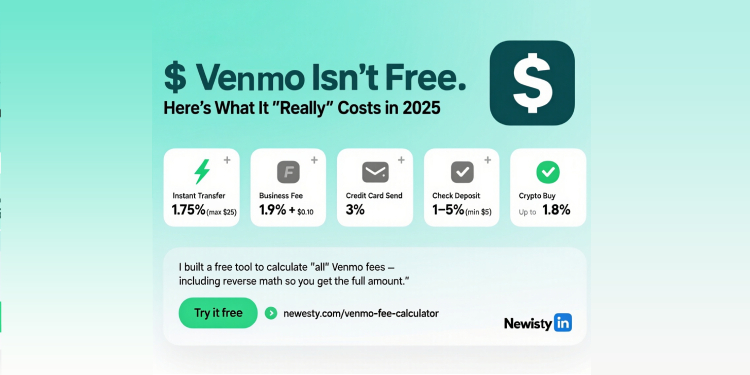
Table of Contents
[hide]
Let's be honest - we all love Venmo. It's quick, it's easy, and it makes splitting dinner bills with friends a breeze. But have you ever checked your account after a transaction and thought, "Wait, where did that extra money go?"
You're not alone. I've been there too - sending what I thought was $50 to a friend, only to realize later that Venmo quietly took a chunk out of my account. After tracking my transactions for months (and getting frustrated more times than I care to admit), I discovered some fees that Venmo doesn't exactly shout about from the rooftops.
Here's the thing: Venmo's free for basic transactions, but the moment you step outside those boundaries, fees start adding up. And some of these fees are so well-hidden that even regular users miss them. I've compiled the 7 most surprising fees that most Venmo users don't know about - along with a free tool to calculate exactly what you'll pay before you hit send.
Why You Should Care About These Hidden Fees
Last month, I sent $200 to my roommate for rent using Venmo. Simple, right? But when I checked my account later, I noticed a $3.50 charge I hadn't expected. Turns out, I'd used instant transfer without realizing it. That's $3.50 I could have kept if I'd just known about the fee beforehand.
This happens to people every single day. And when small fees add up over time? It's real money disappearing from your pocket.
The 7 Hidden Venmo Fees You Probably Didn't Know About
1. The "Free Money" Trap: Credit Card Transaction Fees
Here's the one that catches most people off guard: that 3% fee when you use a credit card.
Venmo makes it super easy to link your credit card - in fact, it's often the default option when you set up your account. But what they don't emphasize enough? Every time you send money using a credit card, Venmo takes 3% of the transaction amount.
Real example: Sending $100 with a credit card? That's an automatic $3 fee. Sending $500? $15 disappears before you even realize it.
Why it's hidden: The fee screen is easy to miss, and many users don't notice it's applied until after the transaction completes.
2. The Instant Gratification Tax: Instant Transfer Fees
This one got me good. Need money right now? Venmo's instant transfer sounds amazing - get your money in minutes instead of days. But there's a price: 1.75% of the transfer amount (minimum $0.25, maximum $25).
Real example: Transferring $200 instantly costs $3.50. For $1,000, you'd pay the maximum $25 fee.
Why it's hidden: The standard transfer option is free but takes 1-3 business days, while the instant option is prominently displayed but the fee details are easy to overlook.
3. The Check Deposit Surprise
Thinking of depositing a check through Venmo? Great idea... until you see the fees. Venmo charges 1% (minimum $5) for payroll and government checks, and a whopping 5% (minimum $5) for all other check types.
Real example: Depositing a $500 payroll check? That's a $5 fee. But depositing that same amount as a personal check? $25 disappears from your deposit.
Why it's hidden: Most people don't think to check fees for check deposits - they assume it's free like other banking apps.
4. The Business Account Bait-and-Switch
If you've ever used Venmo to sell something (even just that couch you no longer need), you've probably seen the "goods and services" option. What many don't realize is that selecting this option triggers a 1.9% + $0.10 fee on every transaction.
Real example: Selling a $200 guitar? Venmo takes $3.90 ($200 × 1.9% = $3.80 + $0.10).
Why it's hidden: The fee isn't clearly displayed when you select the option - you have to dig into Venmo's fee schedule to find it.
5. The Tap-to-Pay Trap for Small Businesses
If you're using Venmo as a small business owner (more common than you think), there's another fee lurking: 2.29% + $0.09 for Tap-to-Pay transactions.
Real example: A $50 sale through Tap-to-Pay costs you $1.24 in fees.
Why it's hidden: This fee structure is different from the standard merchant fee and isn't prominently displayed in the Venmo business section.
6. The Bank Counter Surprise
Need cash immediately? If you try to withdraw money from your Venmo balance at a bank counter, get ready for a $3.00 fee.
Real example: Withdrawing $100 at the bank counter? You'll only get $97.
Why it's hidden: Most people assume Venmo is purely digital and don't even know this option exists - let alone that it comes with a fee.
7. The Out-of-Network ATM Penalty
Similar to the bank counter fee, using an out-of-network ATM to withdraw Venmo funds comes with a $2.50 fee.
Real example: Taking out $40 from an ATM not in your bank's network? You're paying 6.25% just for the convenience.
Why it's hidden: The fee isn't displayed until you select the withdrawal option, and many users don't realize Venmo has ATM withdrawal capabilities.
How to Avoid These Hidden Fees (Mostly)
Now that you know about these hidden fees, here's how to avoid them:
- Always use your bank account or balance instead of credit cards for sending money
- Stick with standard transfers (free) unless you absolutely need instant access
- Avoid check deposits through Venmo when possible - use your actual bank's mobile deposit
- Be careful with "goods and services" - only select this for actual business transactions
- Use in-network ATMs if you must withdraw cash
The Easiest Way to See Exactly What Venmo Will Take
After tracking all these fees and watching money disappear from my account, I created something that would have saved me hundreds of dollars: a free Venmo Fee Calculator.
This isn't just another calculator - it shows you EXACTLY what Venmo will take from your transaction before you send it. No more surprises.
Use the Venmo Fee Calculator Now →
Here's how it works:
- Enter your transaction amount
- Select your transaction type
- Instantly see the fee amount AND the net amount received
The best part? It has a reverse calculation feature. Want to make sure your friend receives exactly $100? The calculator shows exactly how much you need to send to cover the fees.
Real Stories From Real Users
Sarah from Chicago shared her story: "I sold my old laptop for $350 using Venmo's goods and services option. I had no idea there was a fee, so when I only received $343.35, I was confused. Now I always check the fee calculator before making a sale."
Mark from Austin added: "I used instant transfer to get money for an emergency car repair. The $8.75 fee on my $500 transfer stung, but it would have been worse if I didn't know about the max $25 cap. The calculator helped me understand exactly what I was paying."
Why Most Fee Calculators Get It Wrong
I tested nearly a dozen Venmo fee calculators before creating mine. Most only cover basic transactions and miss important details like:
- The minimum and maximum caps on instant transfer fees
- The different check deposit fee structures
- The exact breakdown of merchant fees
- The reverse calculation feature (showing how much to send for a specific received amount)
Our calculator reflects the latest fee structure directly from Venmo's official website, updated regularly to match any changes.
The Bottom Line
Venmo makes sending money incredibly convenient, but those hidden fees can add up faster than you think. I've personally lost over $60 in unexpected fees over the past year - money I could have kept if I'd just known about these charges beforehand.
The good news? Now that you know about these hidden fees, you can avoid them. And with our free calculator, you'll never be surprised by a Venmo fee again.
Pro tip: Bookmark the Venmo Fee Calculator and use it every time you're about to make a non-personal transaction on Venmo. It takes 10 seconds and could save you money every single time.
Have you been surprised by Venmo fees? Share your story in the comments below - I read every single one!
Related Posts
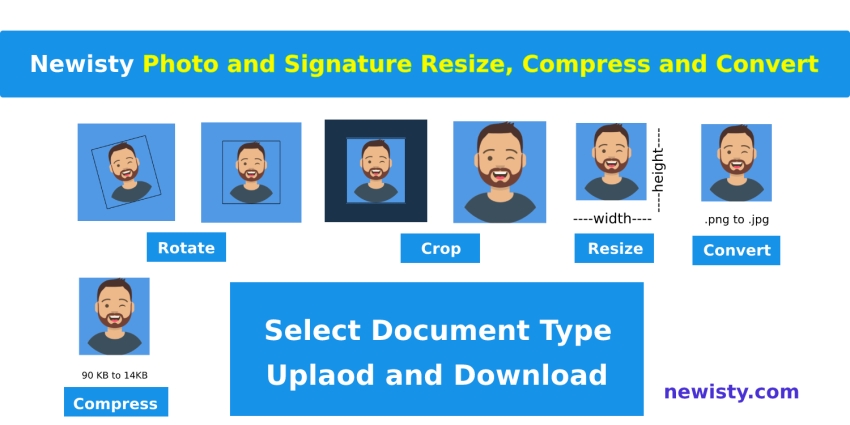
Newisty Photo and Signature Compressor, Editor, Resizer, Converter Tools
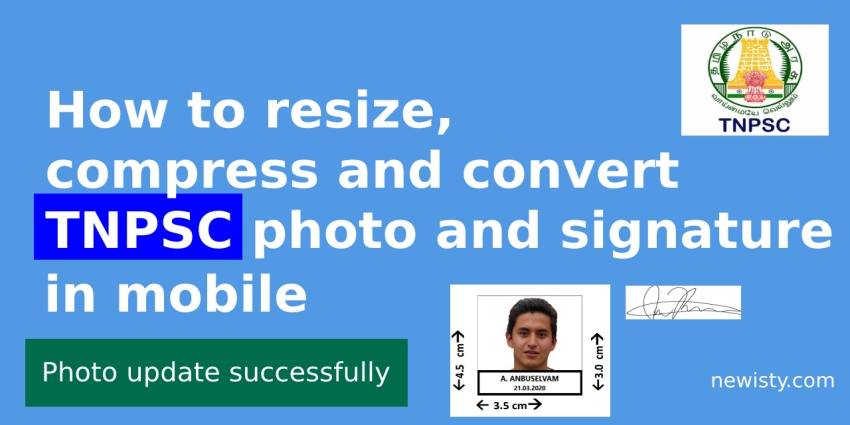
Newisty TNPSC Photo and Signature Compressor, Editor, Resizer, Converter


How to take JPEG photos instead of HEIC, HEIF using Camera Settings
As a beginner, how do you start investing and what strategy should you follow?